 Dawnbite
The fishing log on your wrist
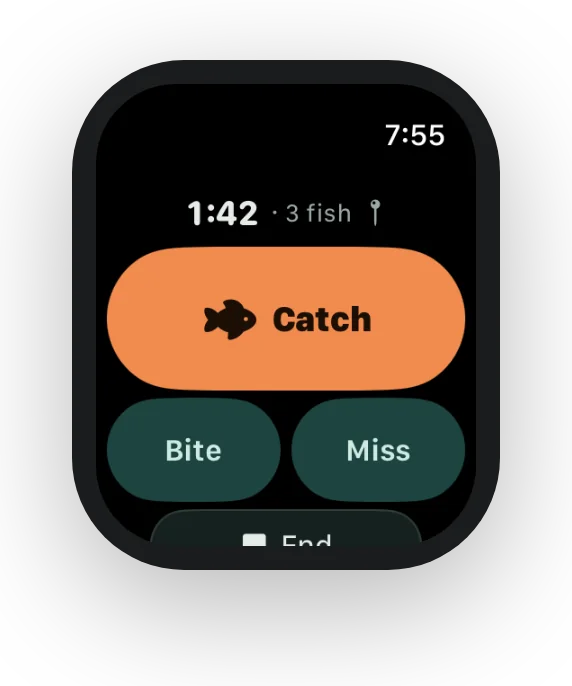
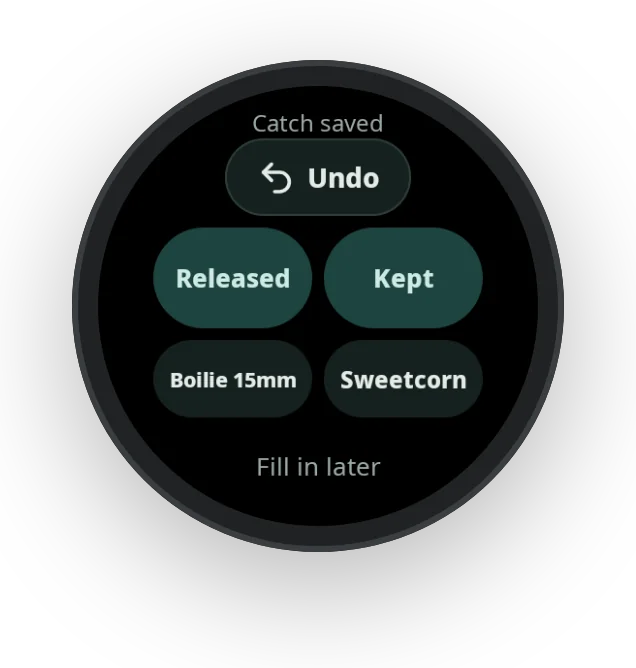
Tap Catch on your watch and the catch is saved with the time, GPS spot, barometric pressure, weather and moon phase. Add species, weight and bait later, when your hands are dry.
For Apple Watch, iPhone and iPad, and for Wear OS watches and Android phones.

How it works
Three taps between you and a full fishing journal
- Start a session
At the water, from your phone or your watch.
- Tap Catch, Bite or Miss
Time, spot, pressure, weather and moon are saved for you.
- Fill in later
Species, weight, length, bait and photos, whenever you're ready.
Log a catch in one tap
On your Apple Watch or Wear OS watch, Catch, Bite and Miss are always one tap away. Your watch keeps logging with your phone in the bag, and syncs when they meet again. Works on Apple Watch, Galaxy Watch, Pixel Watch and other Wear OS watches, with a watch tile on Wear OS.
Catch from the Lock Screen
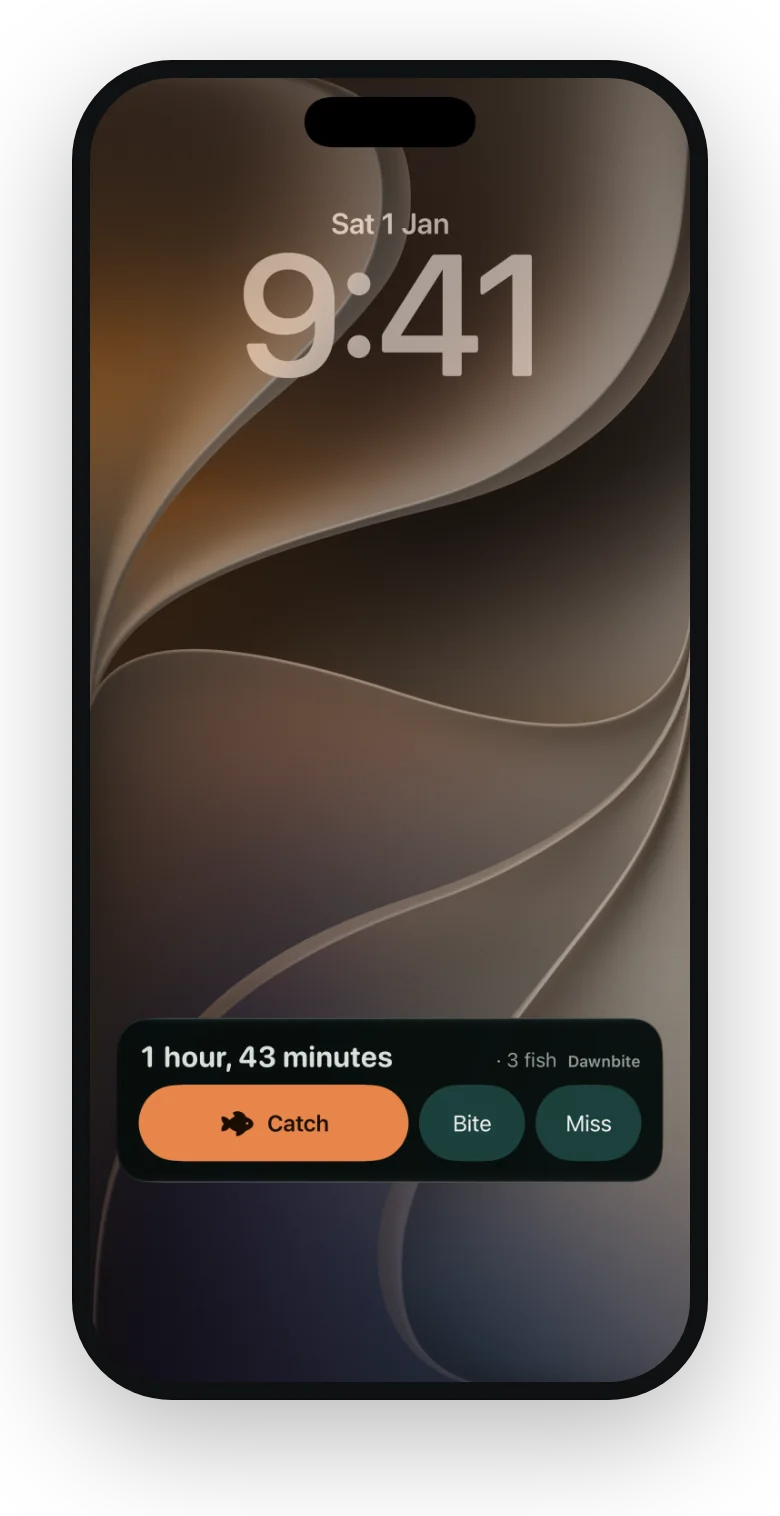
On iPhone, the Live Activity puts Catch, Bite and Miss on the Lock Screen and in the Dynamic Island. Home Screen and Lock Screen widgets, Control Center and Siri work too: "Log a catch in Dawnbite". On Android, a home-screen widget and a quick-settings tile start a session.
Weather saved with every catch
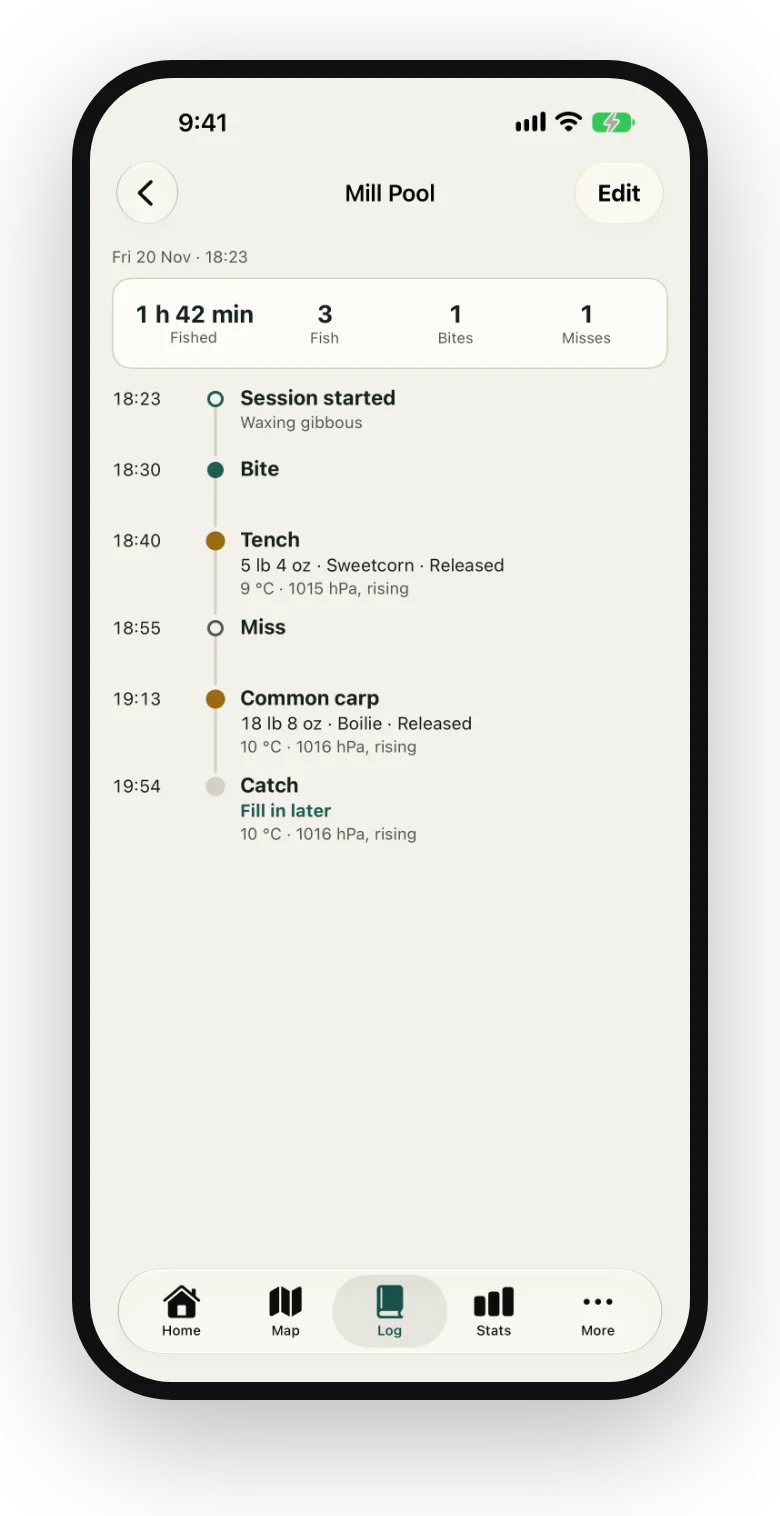
A timeline of every session, with temperature, pressure and wind stamped on each catch.
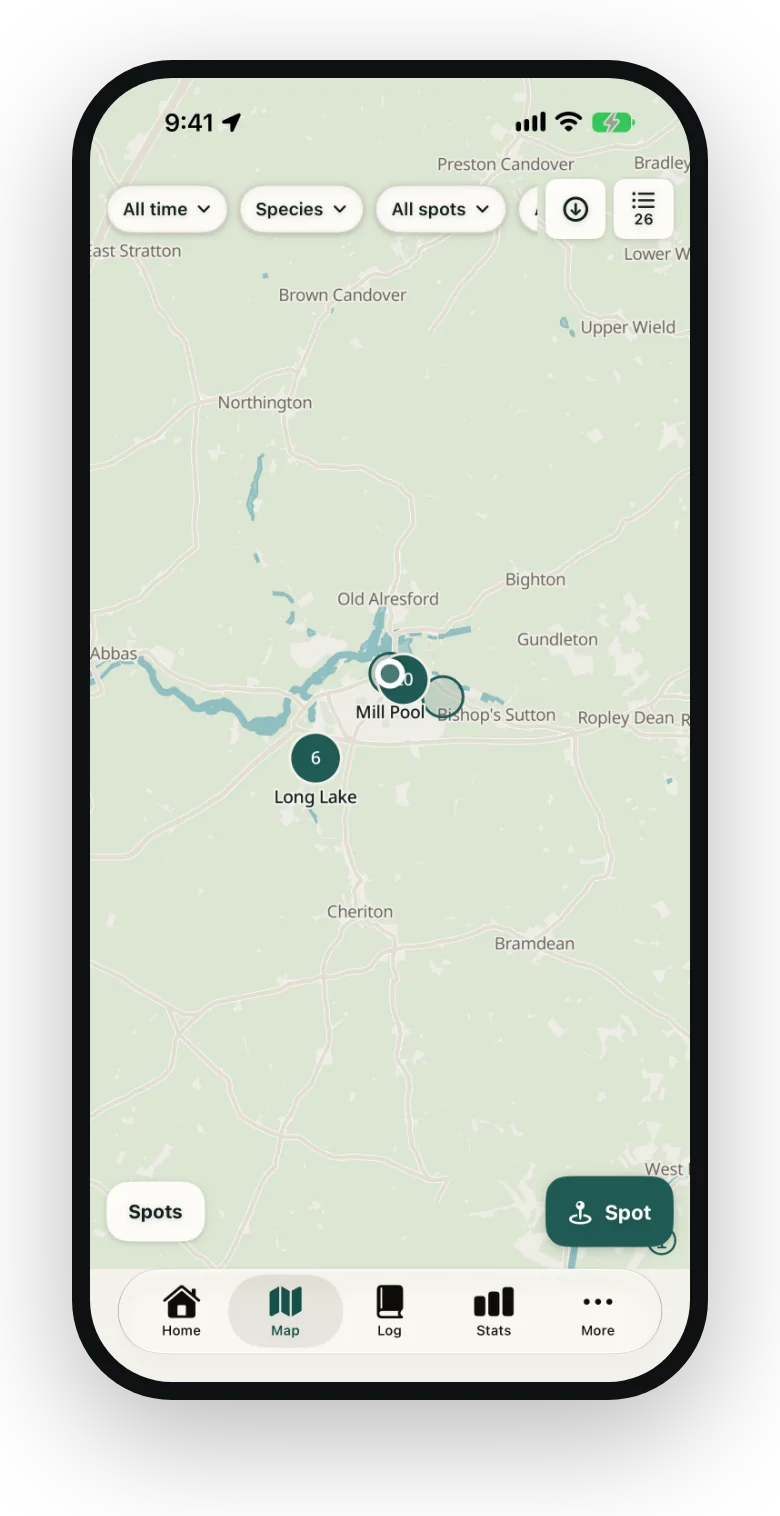
Every spot on one map
See where the fish came from, filtered by species, period and method. Pro adds offline map areas for when there's no signal.
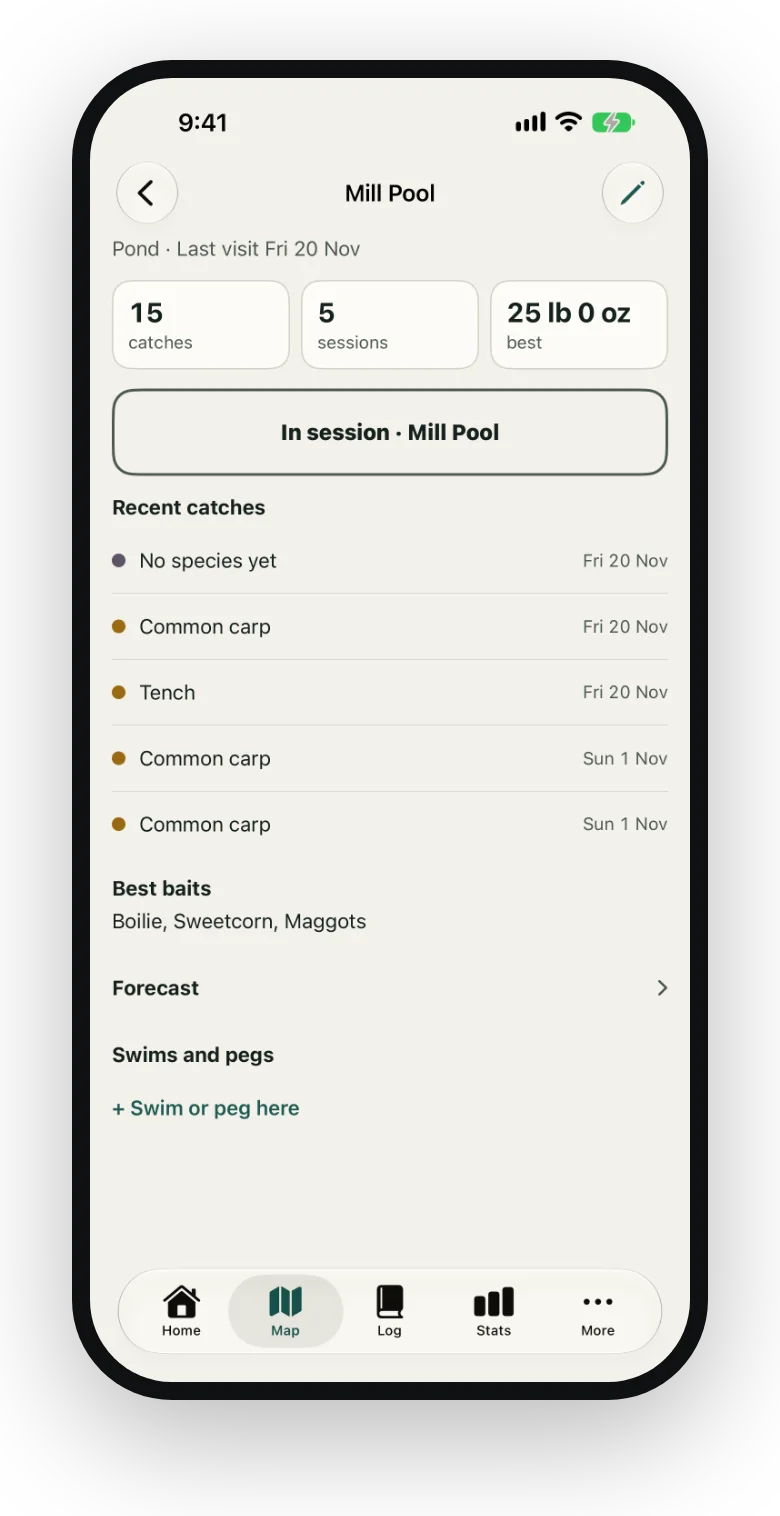
Know every spot
Each spot keeps its own catches, sessions and best baits.
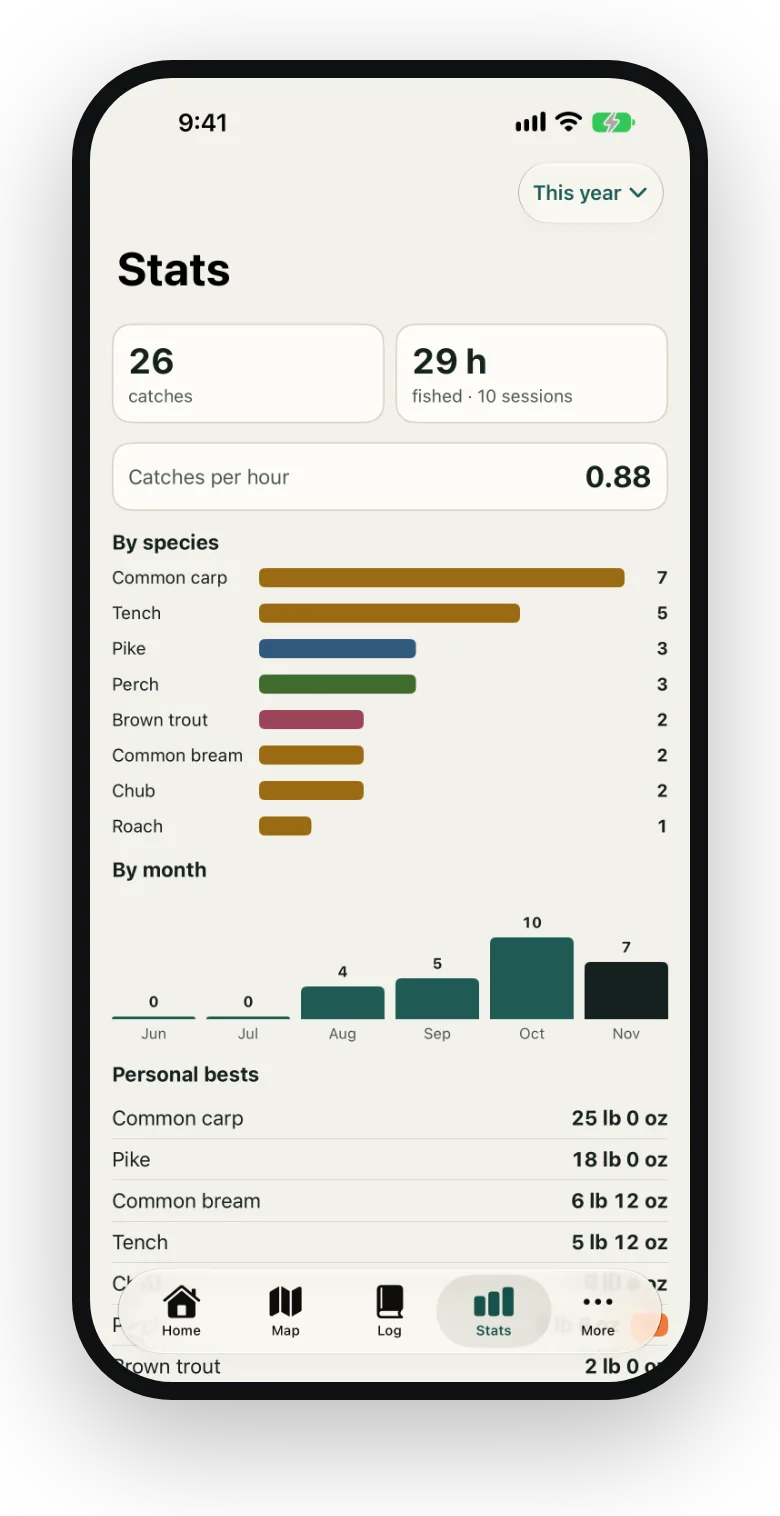
See what's working
Personal bests, catches per hour, and catches by month and species at a glance.
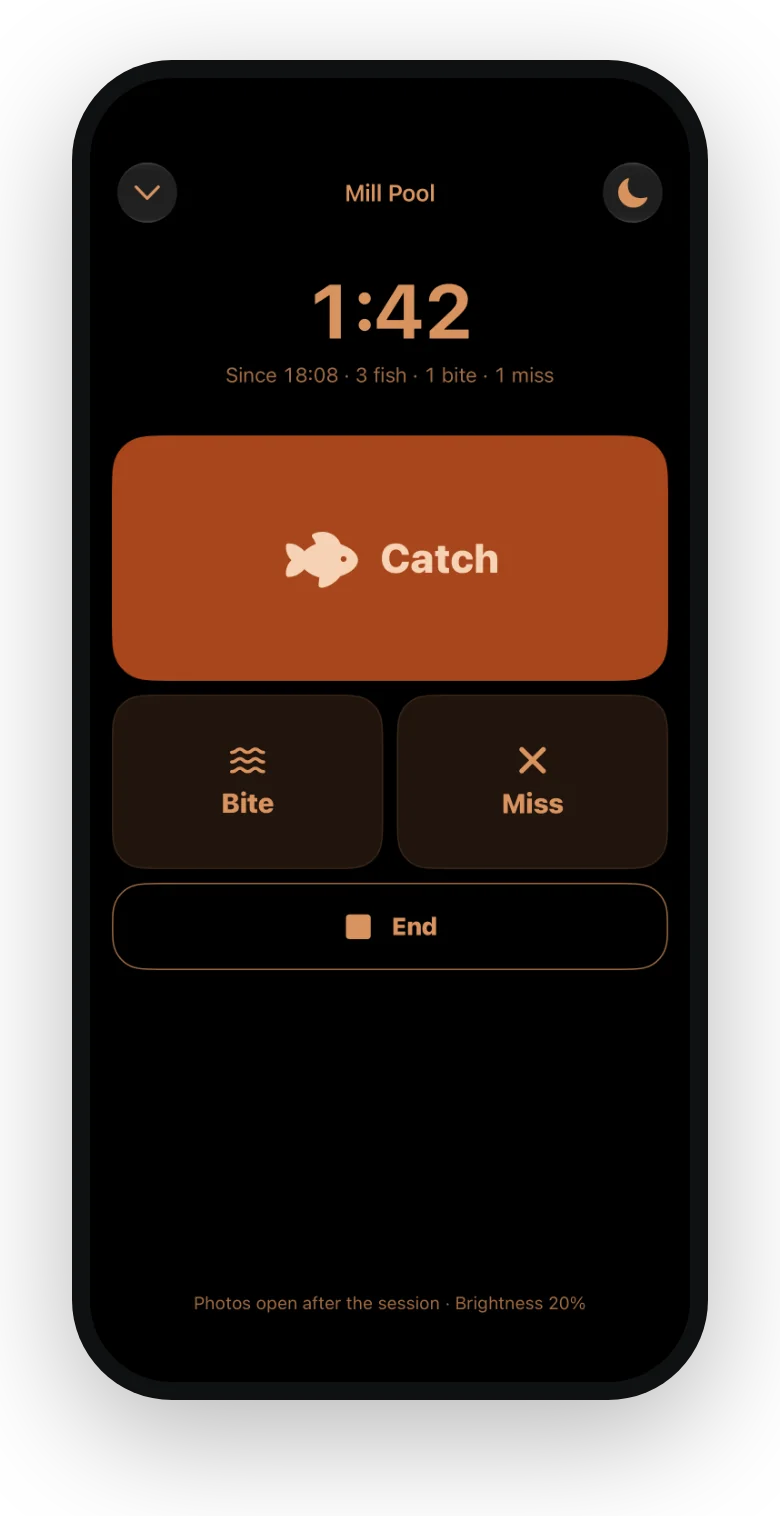
Made for night fishing
Night session keeps the screen dim and amber so your eyes stay dark-adapted. Sun mode and big buttons help in bright light, with wet hands or gloves.
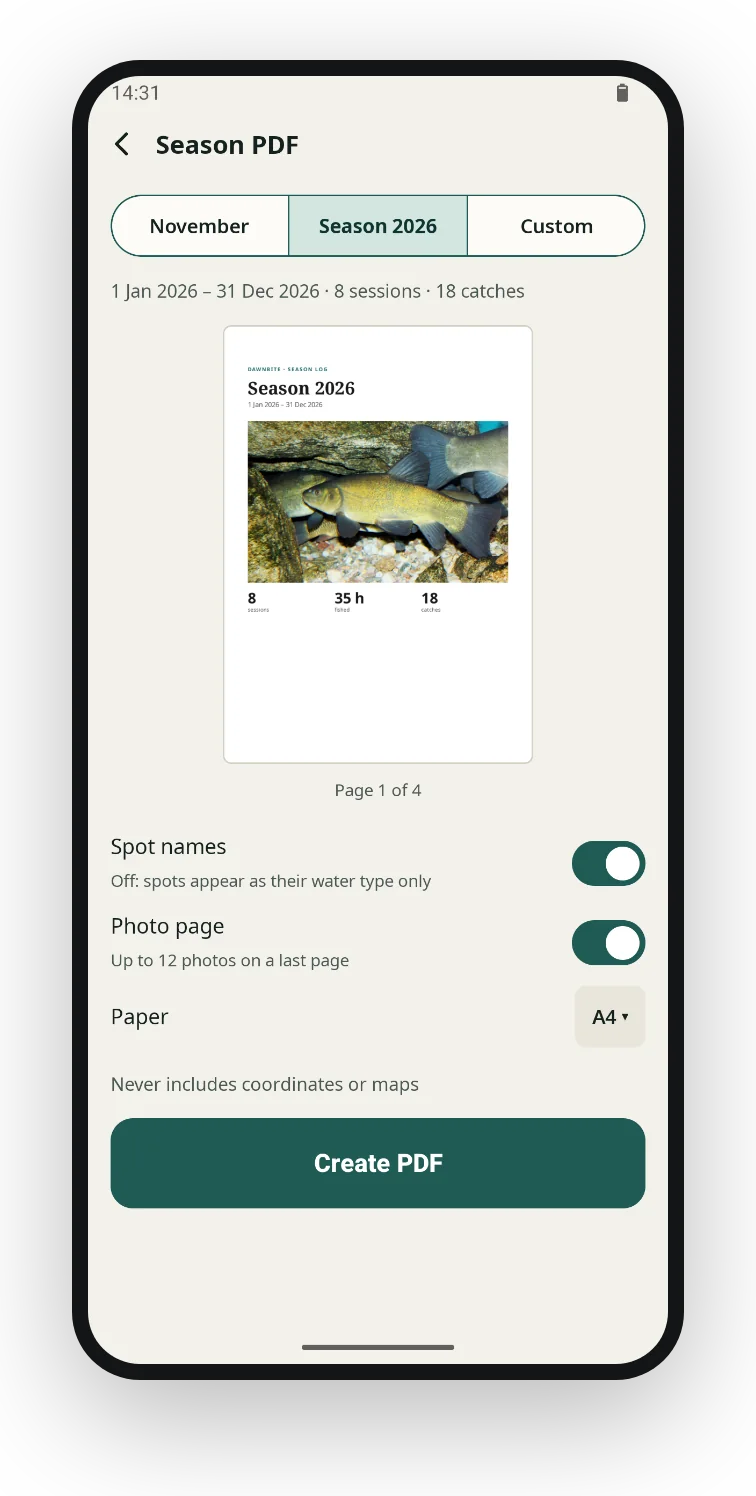
Your season in one PDF PRO
Print or share your fishing year: numbers, bests and photos. Spot names are optional, and the PDF never includes coordinates or maps.
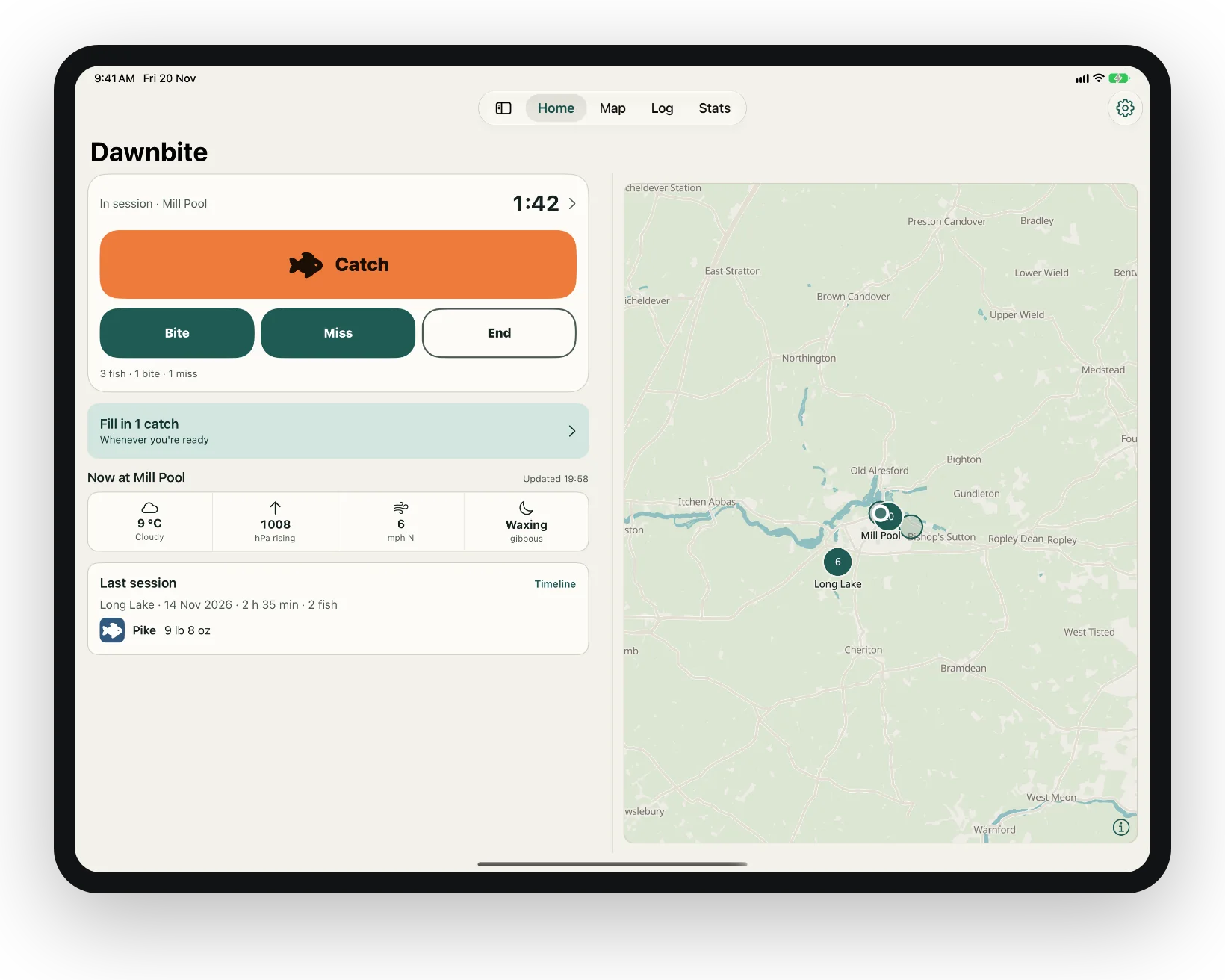
Bigger on iPad
Your session beside the map, and a sidebar with every spot.
Privacy
Private by design
- No account, no sign-in, no ads, no tracking.
- Your fishing log stays on your phone and watch.
- Weather is fetched for a rounded area, never your exact spot.
- An encrypted backup file you keep yourself.
Free and Pro
Pay once, or not at all
Free stays free
Free
The watch app, unlimited catches and photos, weather, the map and 2 spots.
Dawnbite Pro
US$9.99, one payment, no subscription
Unlimited spots, swims and pegs; insights by spot and species; offline map areas; 7-day forecast and solunar periods; Season PDF; catch cards to share; your own event types.
Local prices vary by country. Pro is bought in the app through the App Store or Google Play.
Works with
| Apple | Android | |
|---|---|---|
| Phone | iPhone with iOS 26 or later | Android 8.0 or later |
| Tablet | iPad with iPadOS 26 or later | |
| Watch | Apple Watch with watchOS 26 or later | Wear OS 3 or later (Galaxy Watch, Pixel Watch and others) |
The phone app works on its own; a watch adds one-tap logging from the wrist.
Support
Need help?
Email hello@glintside.com
Do I need a watch?
No. The phone app works on its own. A watch adds one-tap logging from the wrist.
Do I need an account?
No. There is no account and no sign-in. Your log lives on your devices.
How do my phone and watch sync?
Directly, through the watch's own connection to the phone. If the phone isn't nearby, the watch keeps logging and syncs when they meet again.
How do I move my log to a new phone?
In Settings, open Backup and export, choose Save backup file and pick a passphrase. On the new phone, install Dawnbite and choose Restore from a backup file. Without the passphrase the file can't be opened, by anyone, us included.
I bought Pro. How do I get it on a new phone?
Sign in to the same App Store or Google Play account, open Dawnbite Pro in the app and tap Restore purchase.
Where does the weather come from? Why is the map blank where I fish?
Weather comes from MET Norway and works worldwide. The map currently covers Europe, North America and India; we're adding more areas.
How do I delete my data?
Everything is stored on your devices, so uninstalling Dawnbite deletes it. Backup files you saved yourself stay wherever you put them.