 Rowfern
Knitting row counter for Android and Wear OS
Your pattern. Your row.
Rowfern keeps your place in your PDF knitting pattern. Your row stays marked, one tap finishes it, and your watch can count too.
Opt in with your Google account, then install from Google Play.
- First project free
- No account
- No ads
- Works offline

Sound familiar?
Knitting is calm. Keeping count shouldn't be a chore.
The sticky note slid off the page.
The phone rang and you lost count.
You knit right past the decrease.
How it works
Three steps, then just knit
1
Open your pattern.
Import a PDF from your files, downloads or cloud storage, or snap a photo of a printed page.
2
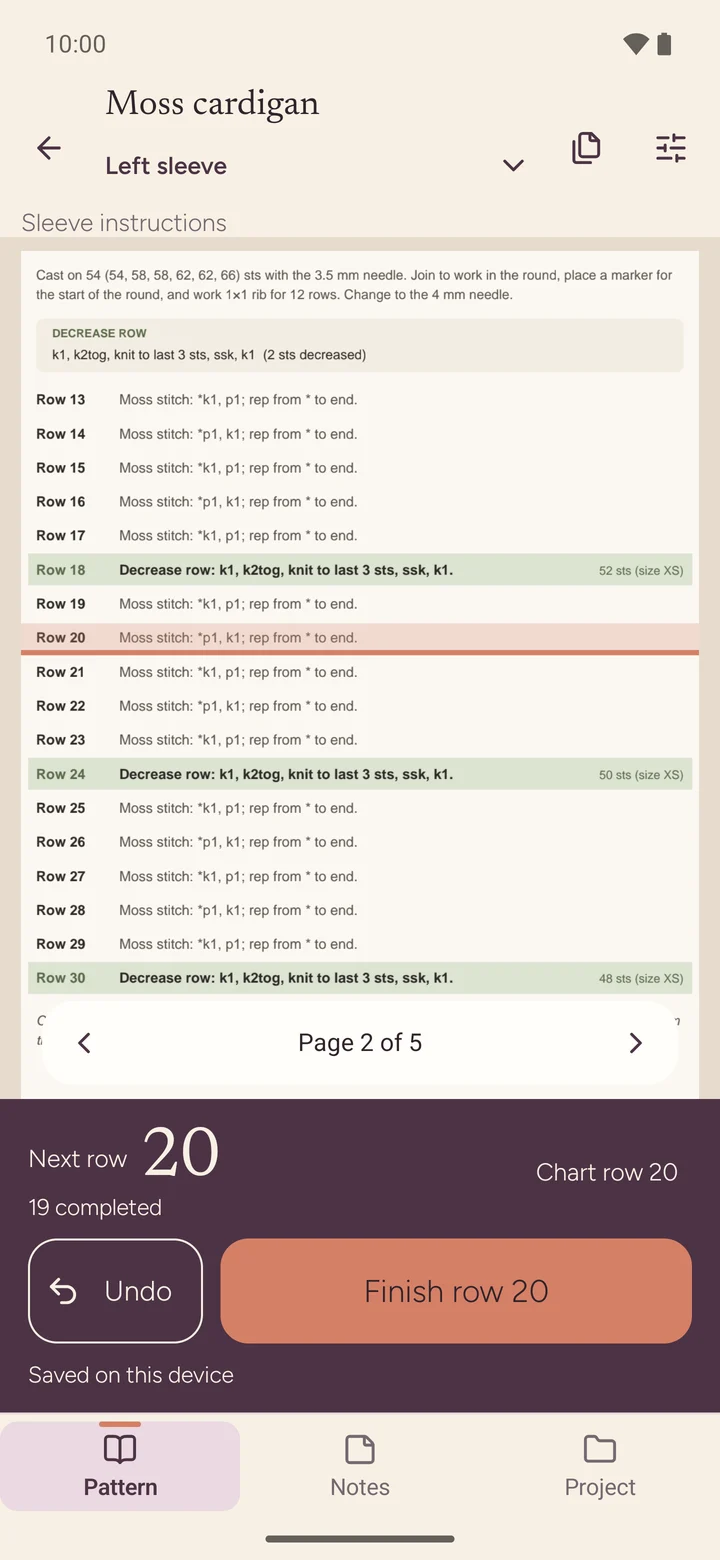
Tap Finish row.
The highlight moves to the next row and the count goes up. Undo is right beside it.
3
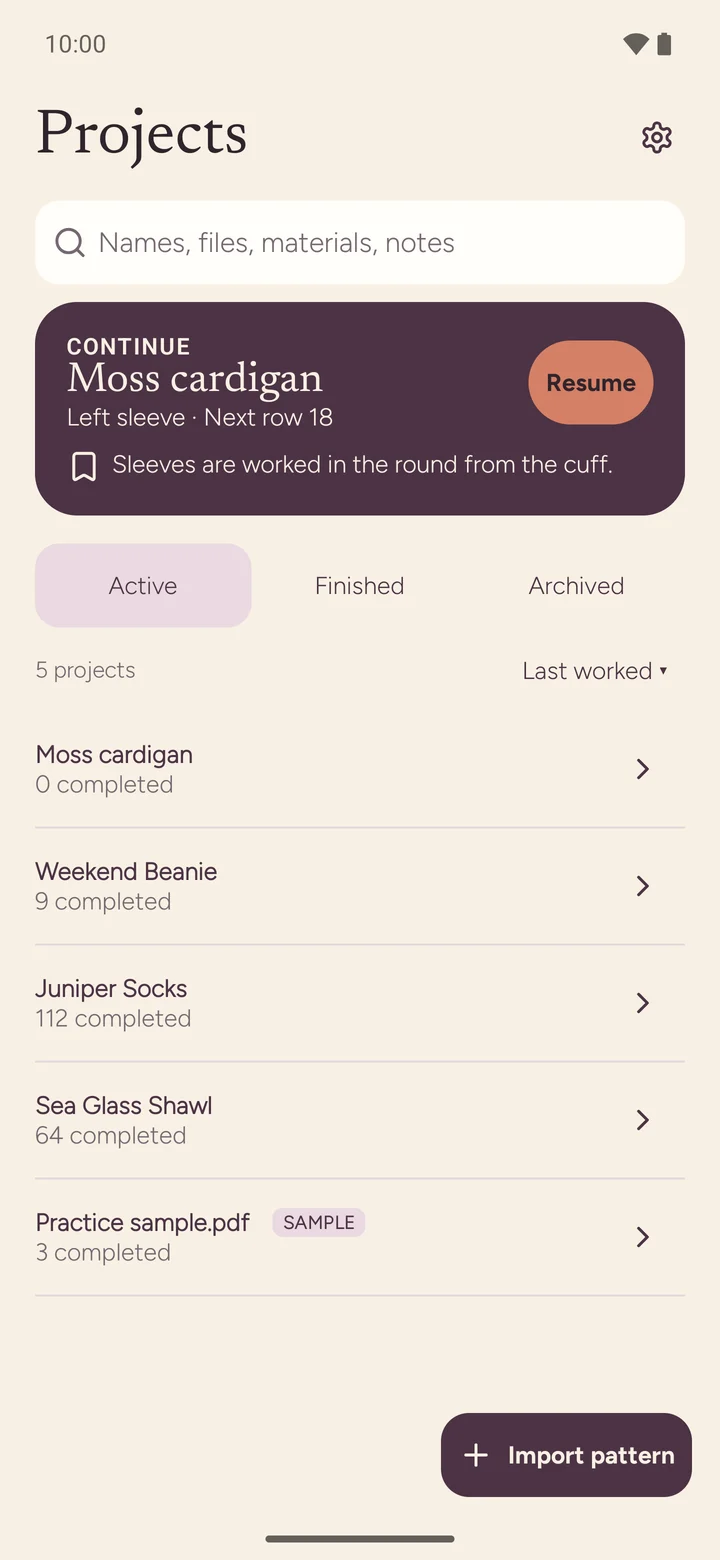
Pick up where you left off.
Put the needles down for a day or a month. Rowfern opens on the same page, the same part and the same row.
Features
Reading guide
Never lose your place
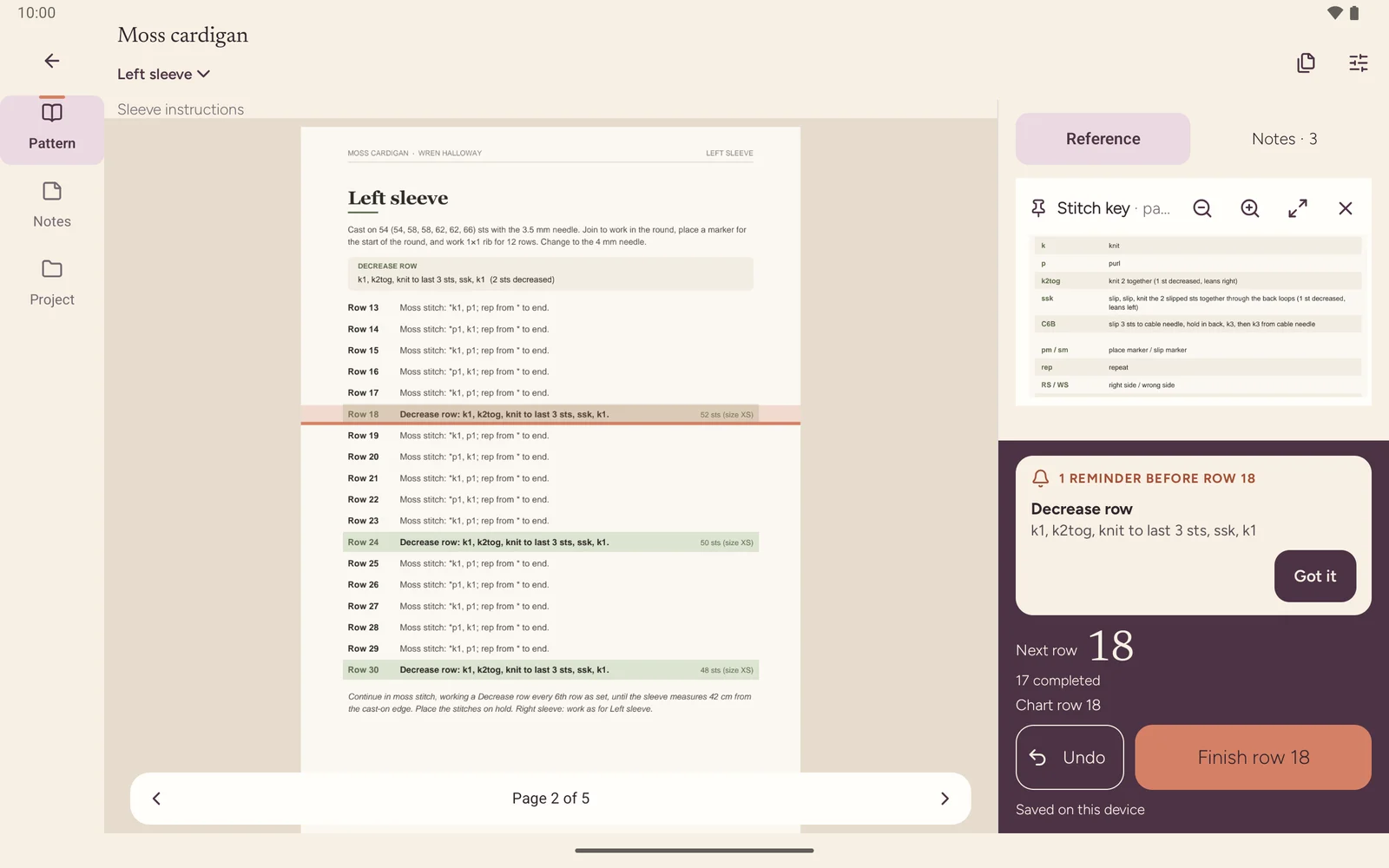
Your pattern and your counter live on one screen. A reading guide highlights the row you're on and moves on when you finish it, so your eyes go straight back to the right line.
- Works with PDF patterns and photos of printed patterns
- Zoom and scroll freely; the guide stays put
- Page notes and highlights right on the pattern
Finish row
One tap, row done
One big Finish row button, sized for a thumb that's still holding a needle. Every step can be undone, and every count is saved on the spot, so a dead battery or a phone call never costs you a row.
- Large "Next row" number you can read at arm's length
- Undo for every step
- Saved on your phone the moment you tap
Parts and repeats
A counter for every part
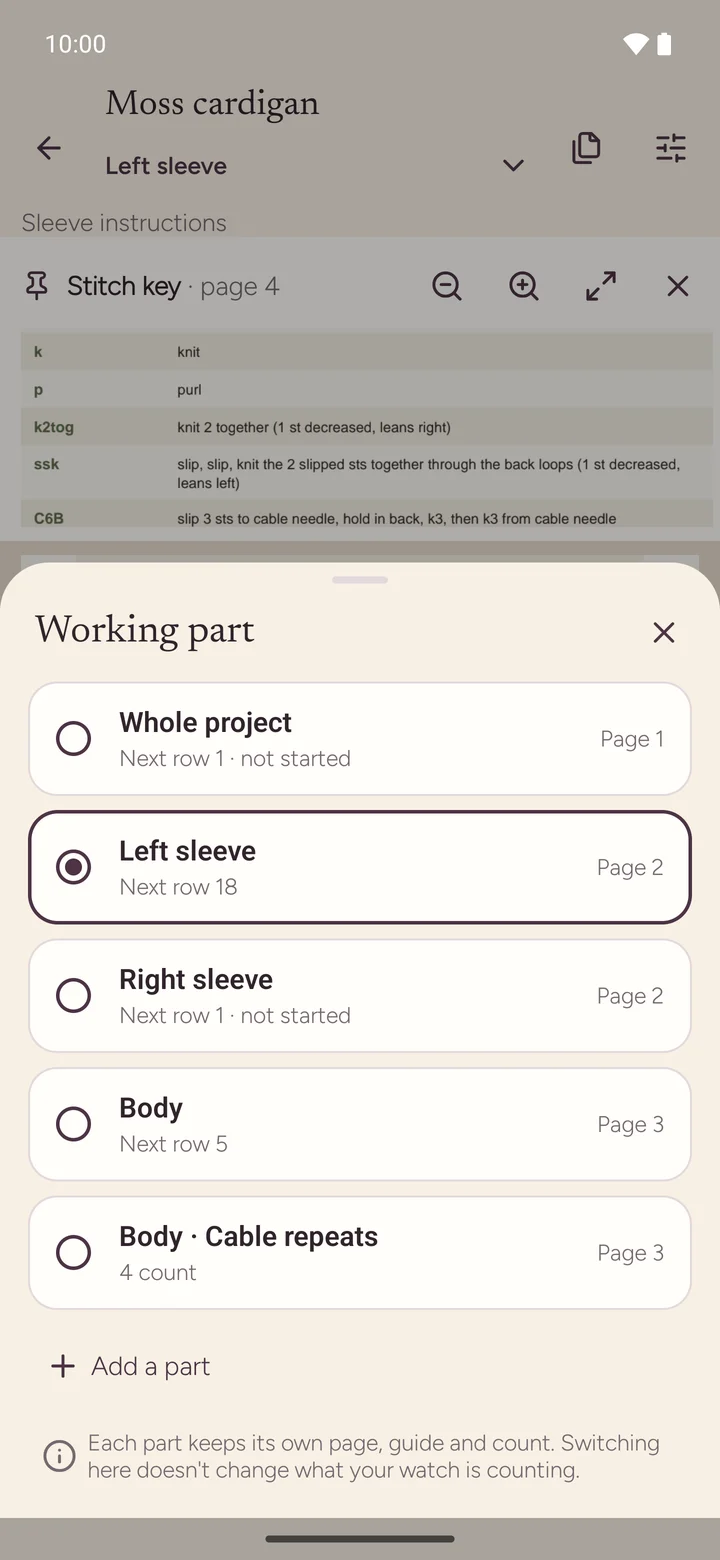
Sleeves, fronts, back, body: each part keeps its own row count, so you can knit both sleeves at once and never mix them up. Repeats count themselves.
- One counter per part of the project
- Repeats counted for you: "work rows 1 to 8 five times"
- Extra stitch and repeat counters, linked to your rows if you like
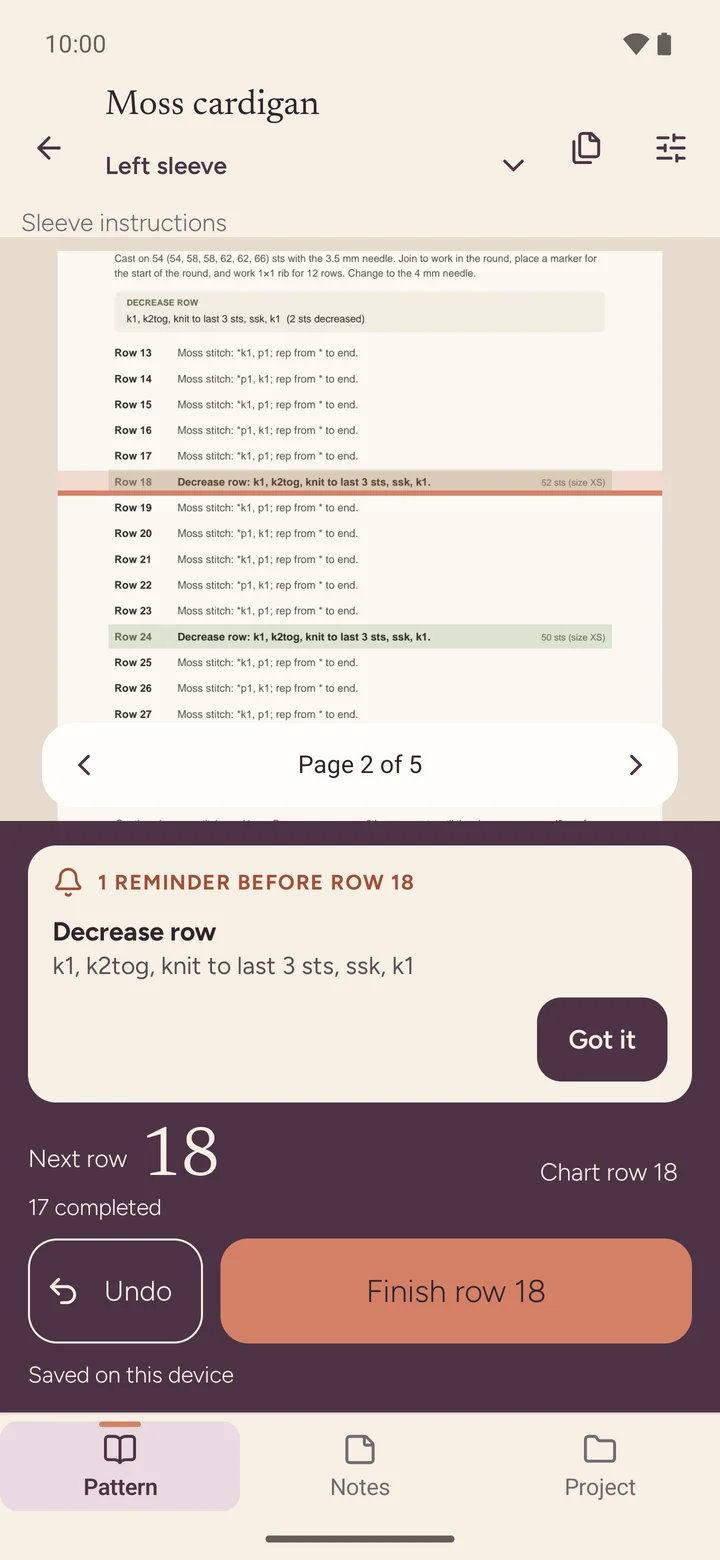
Reminders
Never miss a decrease
Tell Rowfern "decrease every 6 rows" once. From then on a reminder shows up the row before each decrease, increase or buttonhole, right above the button you were about to press.
- Every-N-rows and one-off reminders
- Shown the row before, not after
- Your own wording: "buttonhole", "change colour", "try it on"
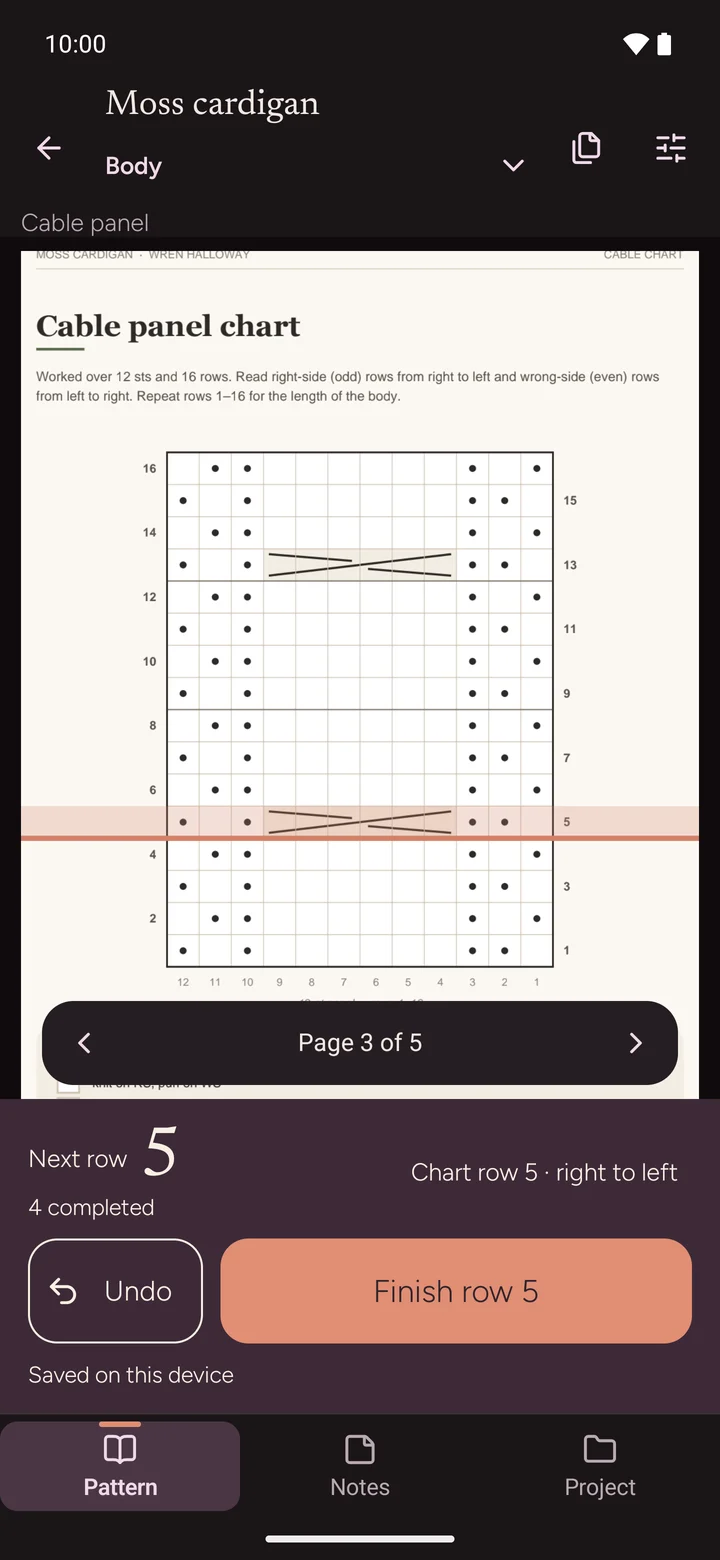
Charts
Charts, row by row
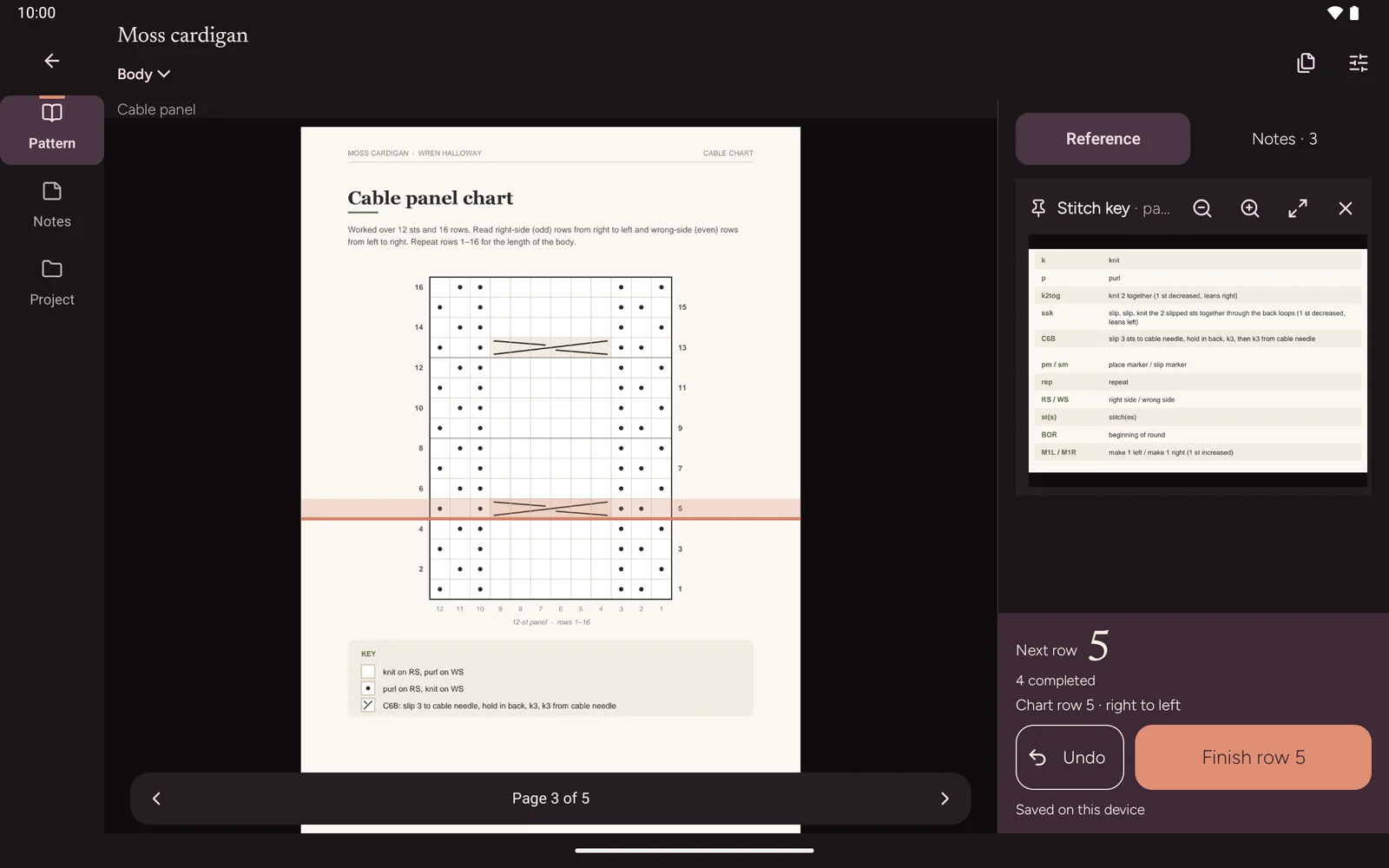
Set up a chart once and follow cables, lace and colorwork one chart row at a time. Rowfern highlights the current row and tells you which way to read it. No ruler, no highlighter tape.
- Current chart row highlighted
- Reading direction shown for each row
- Chart rows linked to your row counter
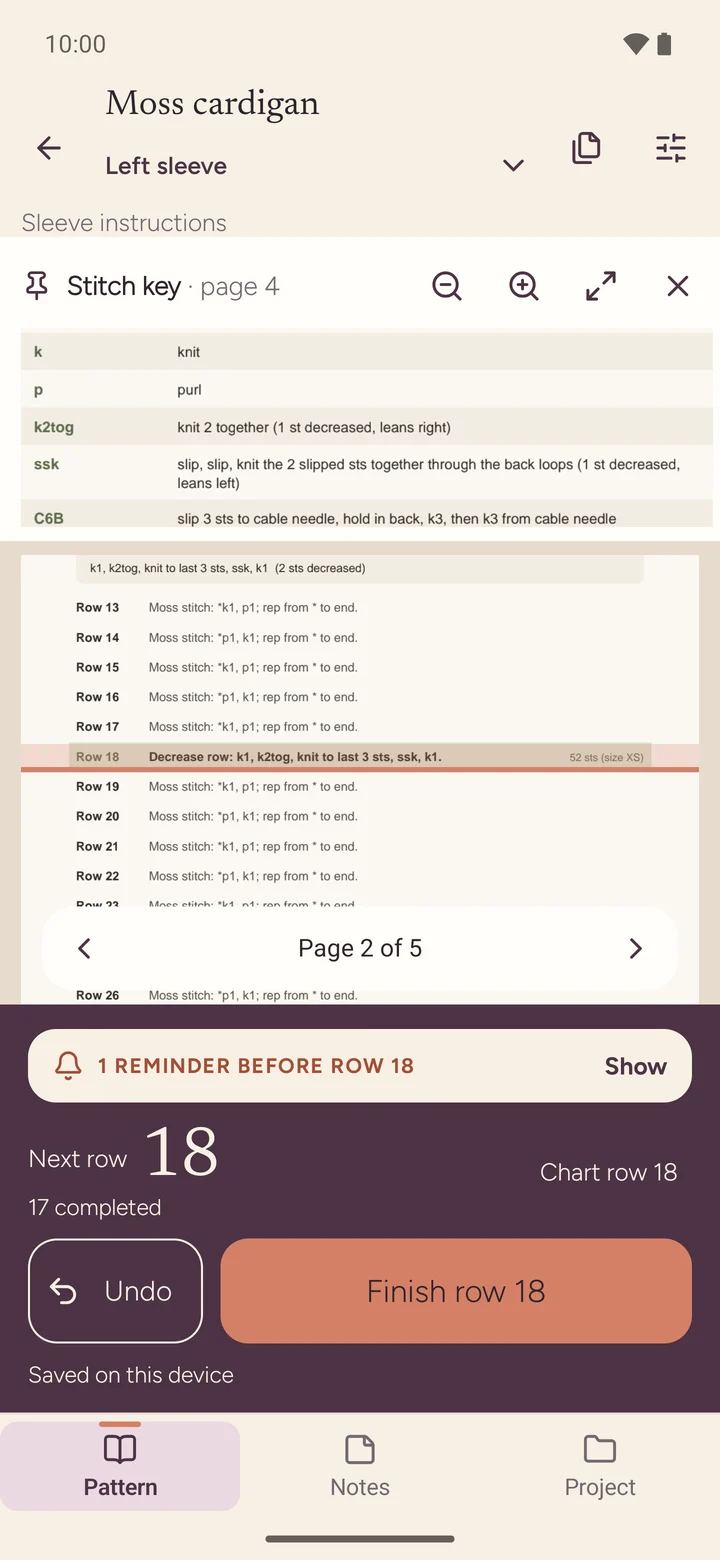
Pinned key
Keep the key in view
Pin the stitch key, the abbreviations or any part of the page so it stays on screen while you scroll the instructions.
- Pin any crop of any page
- Fold it to a slim strip when you don't need it
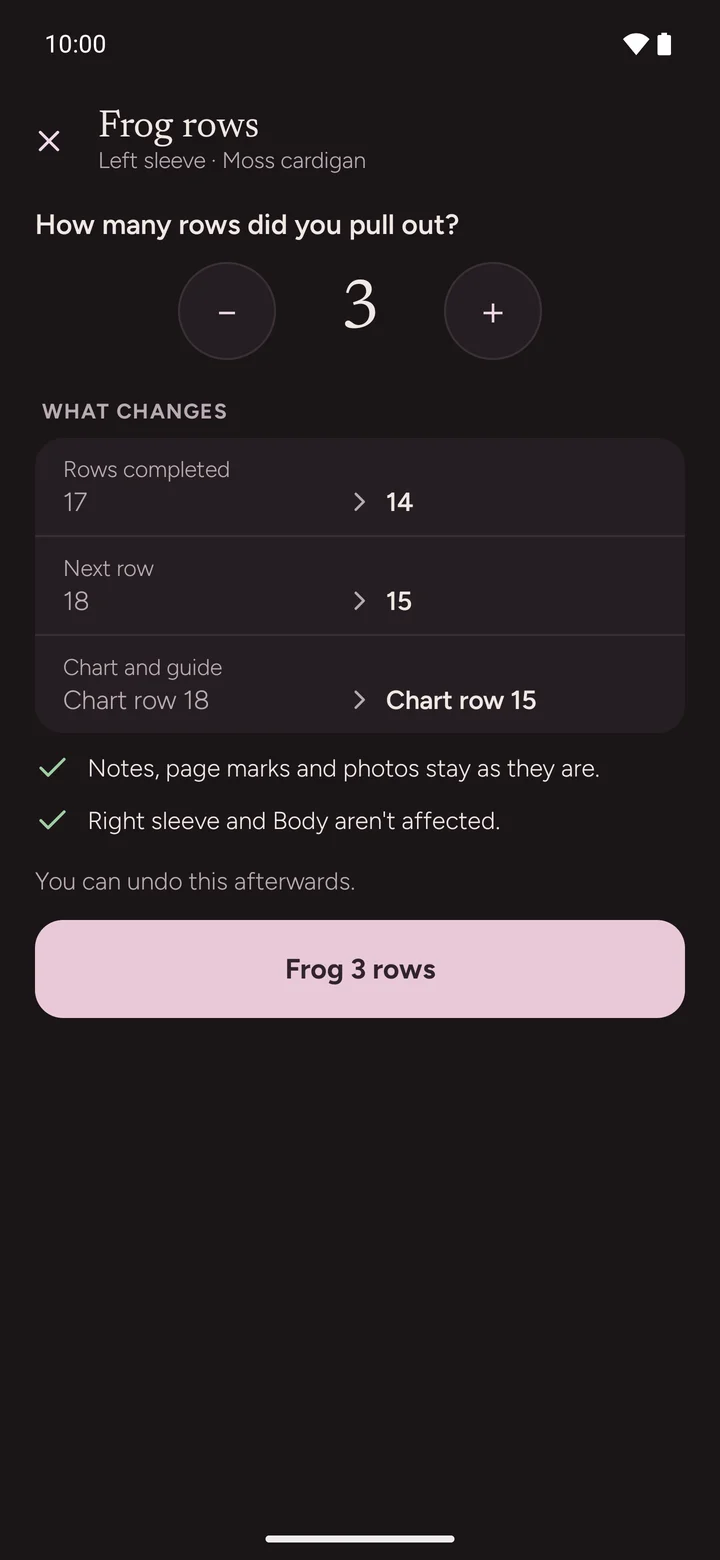
Frog rows
Frogged? Set it right
Ripped back three rows? Tell Rowfern, see the before and after, and the count goes back with you. Your history stays intact.
- Before/after preview before anything changes
- History kept, nothing silently overwritten
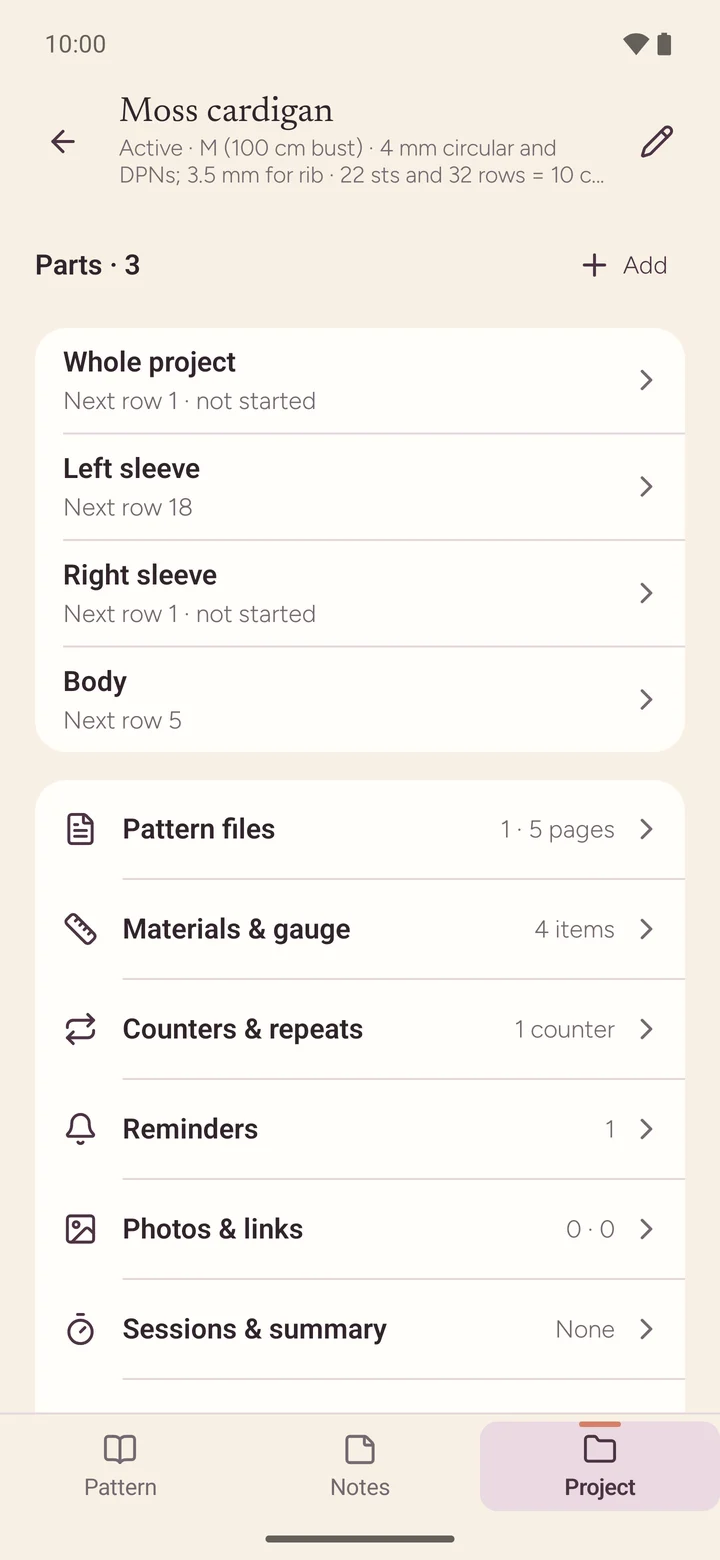
Project page
Notes, photos and time
Keep the yarn, needles, gauge and size with the project. Add notes to a page or a part, take progress photos, and let a session timer keep track of your knitting time.
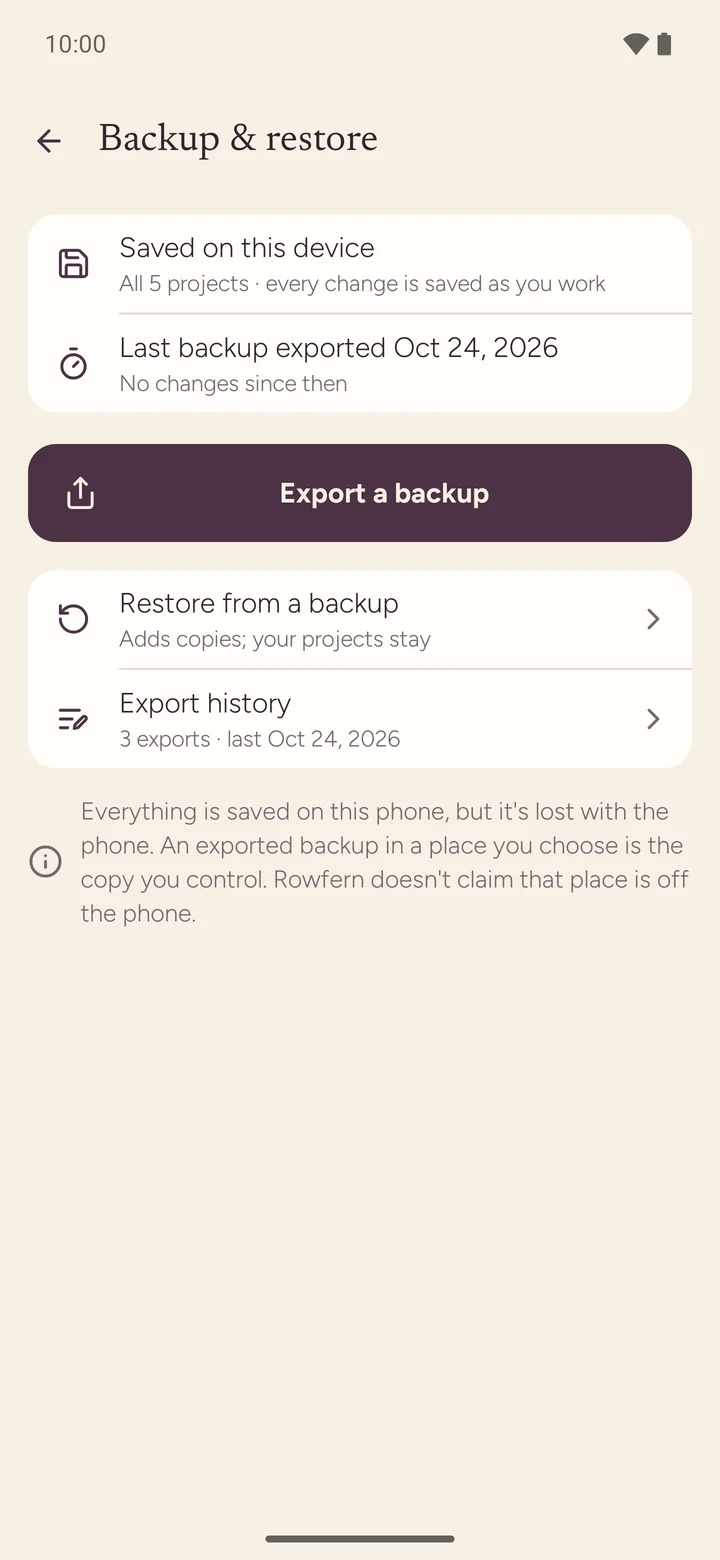
Private by design
Your projects stay yours
Everything is saved on your phone. No account, no sign-up, no ads. Back up one project or all of them to a file wherever you choose, and restore any time, even on a new phone.
Rowfern for Wear OS
Count from your wrist
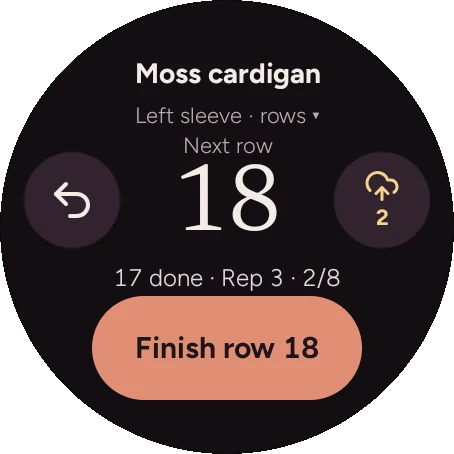
Keep your phone on the table, or in the other room. Rowfern on your Wear OS watch shows the next row and a big Finish row button, and your phone stays in sync. If the phone is out of reach, the watch keeps counting and catches up later; nothing is lost or counted twice.
- Hand counting to the watch with one tap, and back again
- Switch between parts right on the watch
- A dim always-on screen while your wrist is down
- Works with Galaxy Watch and other Wear OS 3+ watches
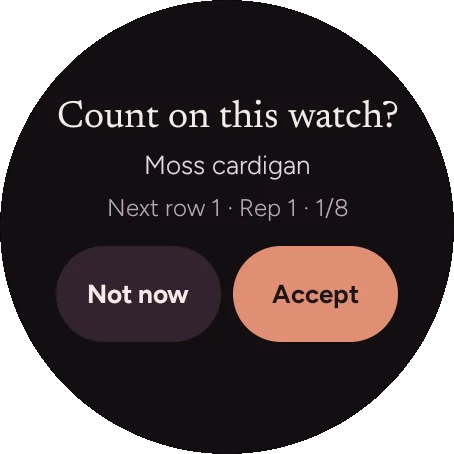
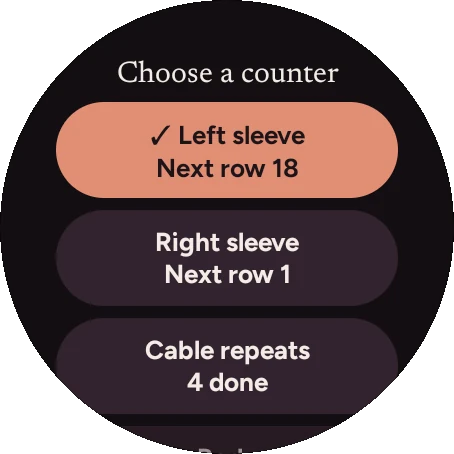
Watch counting is part of the one-time unlock.
Tablets and foldables
Room to spread out
On a tablet or an unfolded phone, the pattern, the pinned key and the counter sit side by side. Rowfern is made for phones, tablets and foldables, in light and dark.
Features
Everything in the bag
PDF patterns
Open any PDF, or a photo of a printed page
Reading guide
Your current row, highlighted
Part counters
Sleeves, body, front, back, each on its own
Repeats
"Rows 1 to 8, five times", counted for you
Reminders
The row before every decrease
Charts
Cables, lace and colorwork, row by row
Pinned key
Keep the stitch key in view
Undo and frog
Every step reversible, history kept
Wear OS
Count from your wrist, stays in sync
Session timer
See how long each project took
Backups
One project or all, to a file you choose
14 languages
Light and dark, phones, tablets, foldables
Pricing
Try it with your next project
Free
To get started
- Your first project, with every counting feature
- The practice pattern, to learn the ropes
- Reminders, charts, notes and backups included
Unlock
For every project after the first
- As many projects as you like
- Counting on your Wear OS watch
- One-time purchase, price shown in Google Play
No subscription.
Bought on another phone? Settings → Purchase → Restore purchase.
Import
Bring your patterns
Import any PDF from your files, downloads or cloud storage, or photograph a printed pattern page by page. Already keep your patterns in a Ravelry library? Sign in to Ravelry to bring in PDF patterns you own. Rowfern reads your library read-only and copies only the patterns you choose to your phone.
Rowfern is made by Glintside, not by Ravelry, and is not endorsed by or affiliated with Ravelry. Ravelry is a trademark of Ravelry, LLC.
FAQ
Questions, answered
Is Rowfern free?
Your first project is free, with every counting feature, plus a practice pattern. A one-time unlock adds as many projects as you like and counting on your watch. There's no subscription.
Does it work for crochet?
Yes. Rowfern counts rows and repeats on any pattern, so it works for crochet too. It doesn't have crochet-specific tools like stitch diagrams.
Do I need an account?
No. There's nothing to sign up for. Your projects are saved on your phone. (Signing in to Ravelry is optional and only used to import patterns you own.)
Where is my data stored? Is it private?
On your phone. Rowfern has no ads and no tracking, and your patterns and counts aren't uploaded anywhere. See the privacy policy.
What if I change phones?
Android's own phone-to-phone transfer doesn't include Rowfern projects, so make a backup first (Settings → Backup & restore) to a file in your cloud storage or on your computer, then restore it on the new phone. Restore your unlock with Settings → Purchase → Restore purchase.
Which watches work?
Wear OS 3 and newer, including Samsung Galaxy Watch 4 and later and Pixel Watch. Install Rowfern on the watch from the Play Store (tick your watch next to Install).
What happens if my watch loses the connection?
It keeps counting. When it reconnects, the phone catches up. Each row is recorded once, so nothing is lost or doubled.
Can I use my own PDF patterns?
Yes, any PDF, from your files, downloads, email attachments or cloud storage. You can also photograph a printed pattern.
Can I count two sleeves at once?
Yes. Each part has its own counter, and you can switch between them in a tap, on the phone or the watch.
I ripped back some rows. Now what?
Use Frog rows: tell Rowfern how many rows you took out, check the before and after, and the count goes back. Your history stays.
Does it work without internet?
Yes. Counting, reading, reminders and backups all work offline.
Is there an iPhone version?
Not at the moment. Rowfern is for Android phones, tablets and foldables (Android 8.0 or newer) and Wear OS watches.
Which languages?
English, German, French, Spanish, Portuguese (Brazil), Dutch, Swedish, Norwegian, Russian, Japanese, Chinese (Simplified), Arabic, Hindi and Indonesian.