SOP template · bookkeepers and accountants
Bookkeeping SOP template: approve a bill and schedule payment
A real accounts payable procedure for junior bookkeepers, recorded with Dewtrail in six steps. The client’s name, the supplier’s IBAN and email were blurred before each screenshot was taken, so you can hand the guide to a new starter, or to the client.
Download the SOP (PDF)Record your own with Dewtrail
About this SOP
- Who it’s for
- Junior bookkeepers, outsourced finance teams, and clients who approve their own bills
- Task
- Check a bill against its purchase order, approve it, and schedule payment for the due date
- Steps
- 6, each with a screenshot
- Hidden
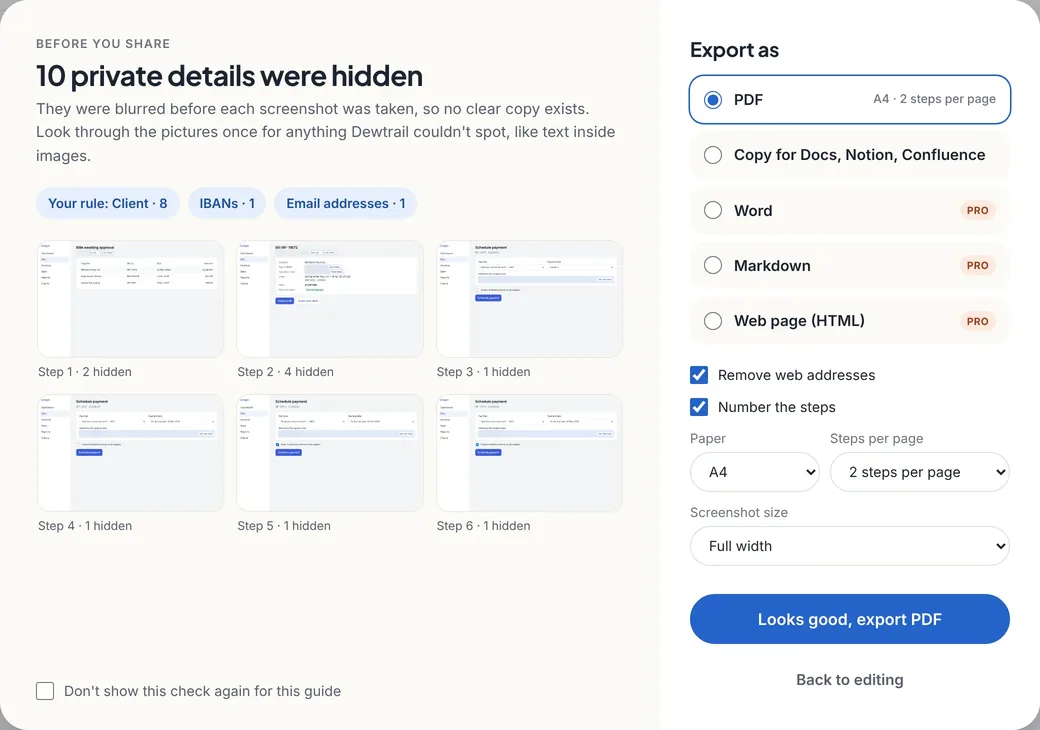
- 10 private details: the client’s name 8 times (with a Client rule), 1 IBAN and 1 email
Recorded on a made-up accounting app; the people, clients and numbers are invented. The title, introduction and tips were written in Dewtrail’s editor, and a few step titles were reworded. The screenshots, blurs and labels are exactly as Dewtrail saved them.
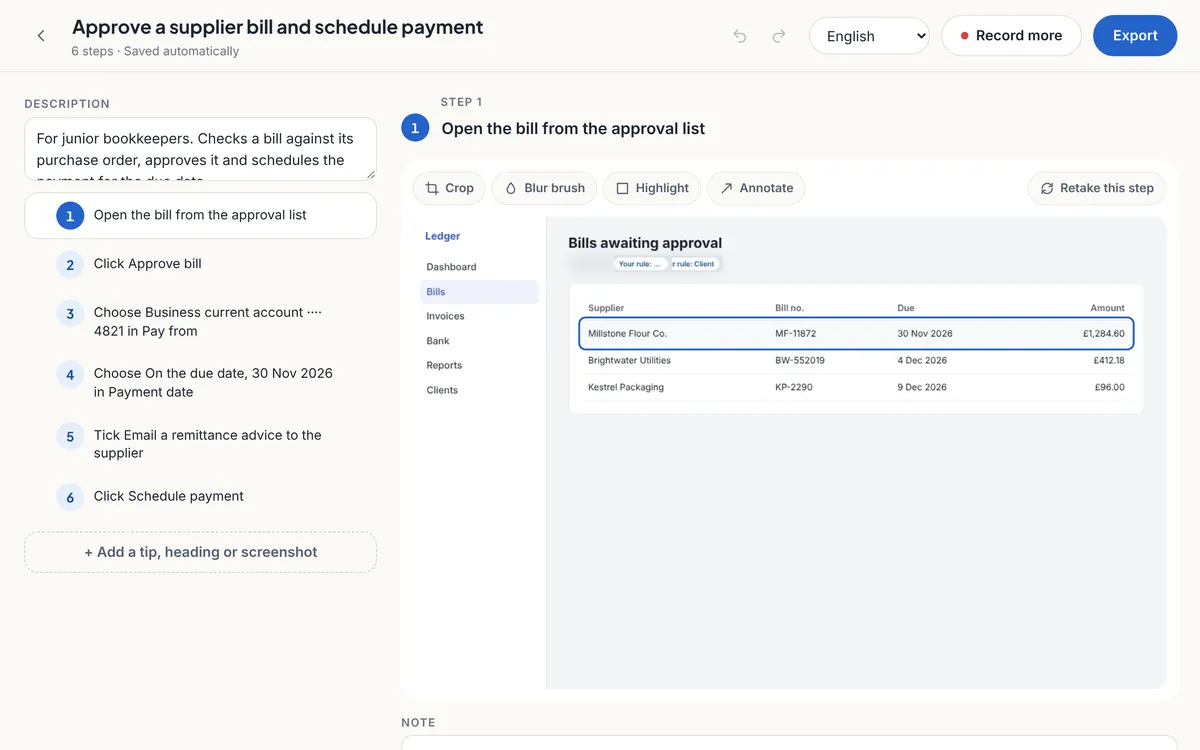
Approve a supplier bill and schedule payment
For junior bookkeepers. Checks a bill against its purchase order, approves it and schedules the payment for the due date.
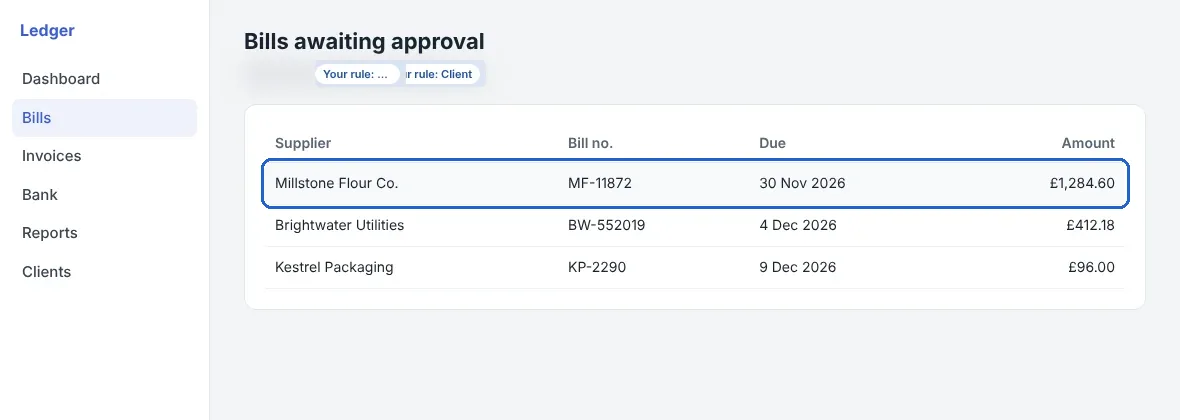
Open the bill from the approval list
Bills are listed by due date. Start with the oldest.
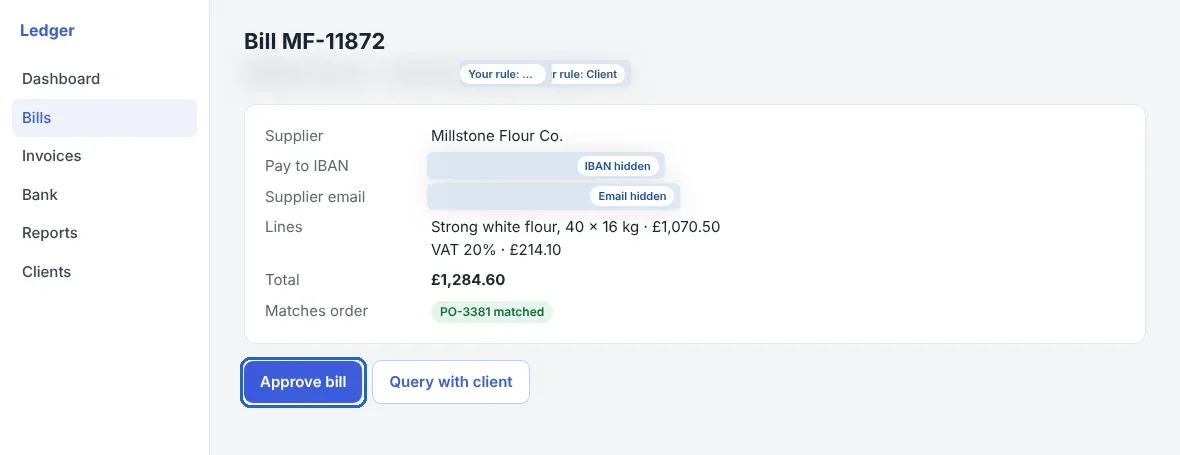
Click Approve bill
Before you approve, check that the purchase order shows matched and the total agrees with the supplier’s invoice. If it doesn’t, click Query with client instead.
Choose Business current account ···· 4821 in Pay from
Pay from the account the client named in their engagement letter.
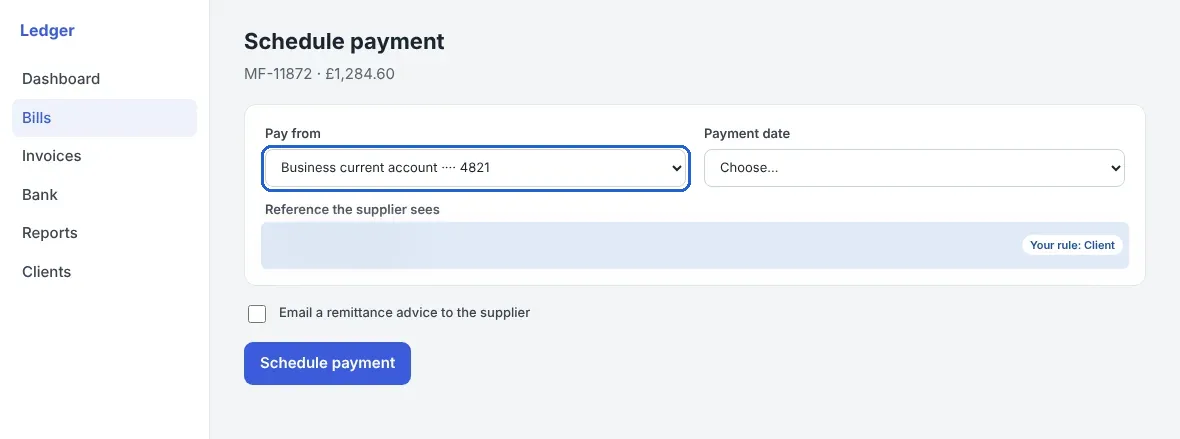
Choose On the due date, 30 Nov 2026 in Payment date
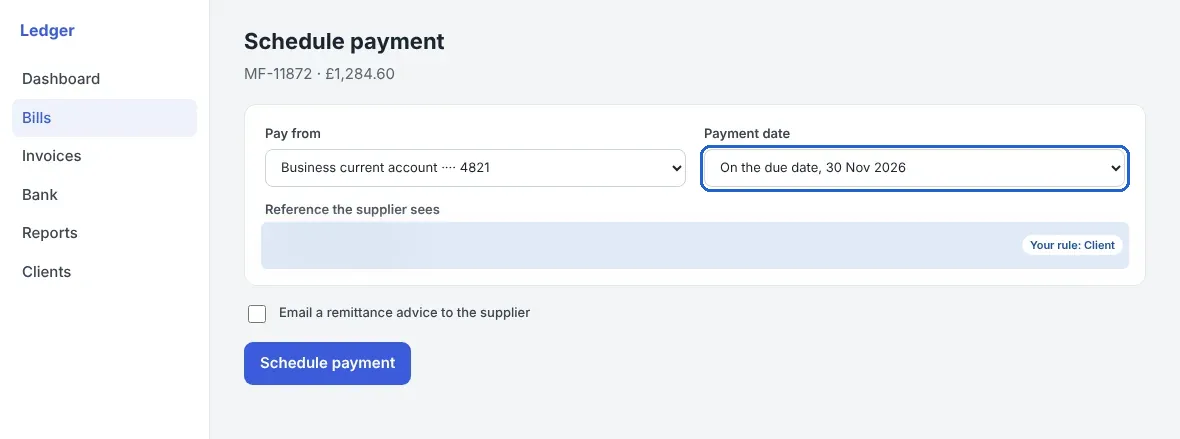
Tick Email a remittance advice to the supplier
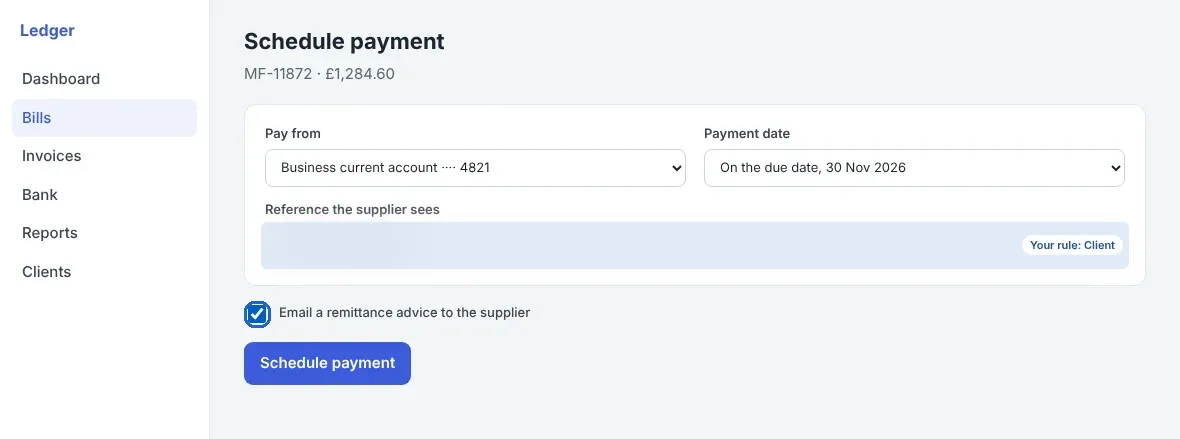
Click Schedule payment
The bill now shows as Approved, and the payment appears under Bank as scheduled.
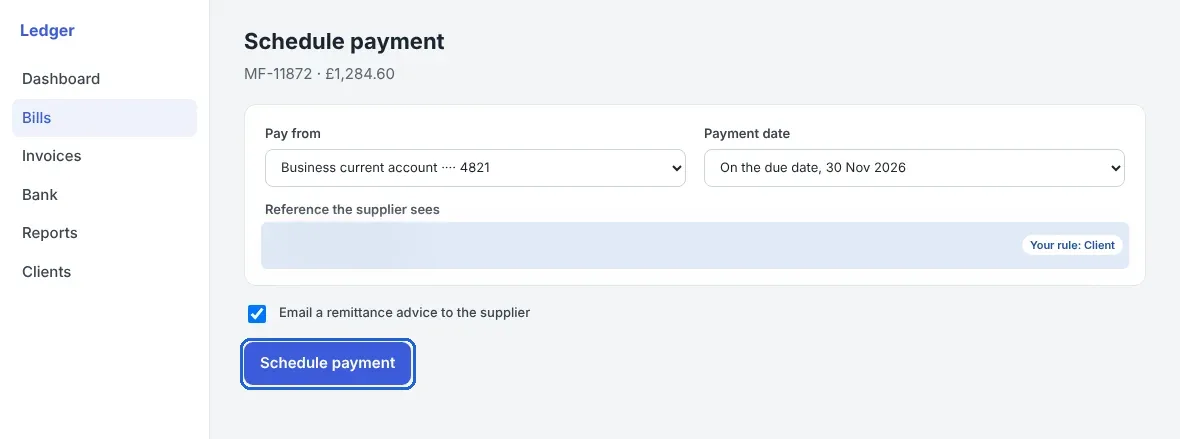
Blur each client’s name
Dewtrail finds IBANs, card numbers, emails and phone numbers on its own. A client’s business name is just text, so this SOP used a Client rule with the client’s name in it. Add one rule per client you document; Team can share the rule file so the whole practice blurs the same names.
Before every export, the privacy check counts what was hidden, of which kind and in which step, so you can see the guide is safe to share.
Make your own SOP in a few minutes
A template only goes so far: your screens and your rules are different. Dewtrail is a steps recorder for Chrome, so the quickest SOP is the one you record while doing the task.
Record
Click the Dewtrail button or press Alt+Shift+R, then do the task once. Each click becomes a step with a written title and a screenshot. What you type is never stored.
Blur before capture
Private details are covered on the page before each screenshot, and each blur says what it hides. Nothing unblurred is ever saved.
Tidy and share
Reword titles, add tips, then export a PDF or copy the guide into Google Docs, Notion or Confluence. With Pro, keep it as a template and start new guides from it.
Coming soon to the Chrome Web StoreSee how Dewtrail worksWatch the 40-second video
More bookkeeping SOPs worth recording
- Reconcile a bank account and match transactions to invoices
- Raise a sales invoice and send it to the customer
- Chase an overdue invoice with a reminder
- Code and submit an expense claim with its receipt
- Run a payroll and check the payslips before approval
- Prepare and review a VAT or sales tax return
- Close the month: lock the period and export the reports
Questions
Is this safe to send to a client?
That is the idea. Bank details, emails and the names you add as rules are blurred before each screenshot is taken, and the privacy check shows what was hidden in every step before you export. Look through the guide once before you send it.
Does it work with my accounting software?
Dewtrail records anything you do in a Chrome tab, so it works with web-based accounting and banking apps. It can’t record desktop programs outside Chrome.
Can I put my firm’s logo on it?
Yes, with Pro: your logo, colour and footer line go on every PDF, Word and web page export. The sample PDF on this page has no logo.
Free to record, $39 once for Pro
Free has unlimited guides, blur before capture, the privacy check and PDF export. Pro adds your own blur rules, your logo, Word and Markdown exports, annotations and templates. Team is $129 once for five people. No subscription. Compare plans