SOP template · IT support and managed service providers
IT and MSP SOP template: add a user and assign a licence
A real new-starter runbook for service-desk technicians, recorded with Dewtrail in nine steps. The client’s name, every user’s email and the temporary password were blurred before each screenshot was taken, so the same SOP can go into your documentation for every client.
Download the SOP (PDF)Record your own with Dewtrail
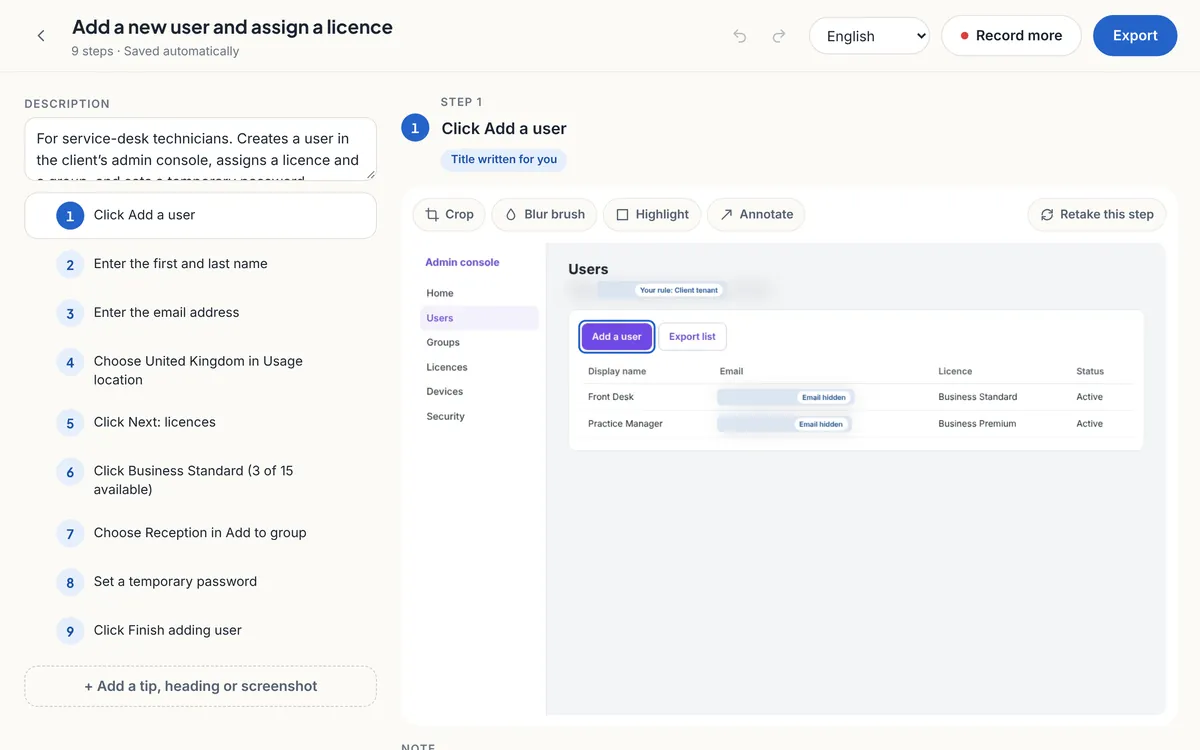
About this SOP
- Who it’s for
- Service-desk technicians at an MSP or an in-house IT team
- Task
- Create a user in a client’s admin console, assign a licence and a group, set a temporary password
- Steps
- 9, each with a screenshot
- Hidden
- 19 private details: 8 names, 6 emails, 4 passwords and the client’s name (with a Client tenant rule)
Recorded on a made-up admin console; the people, clients and numbers are invented. The title, introduction and tips were written in Dewtrail’s editor, and a few step titles were reworded. The screenshots, blurs and labels are exactly as Dewtrail saved them.
Add a new user and assign a licence
For service-desk technicians. Creates a user in the client’s admin console, assigns a licence and a group, and sets a temporary password.
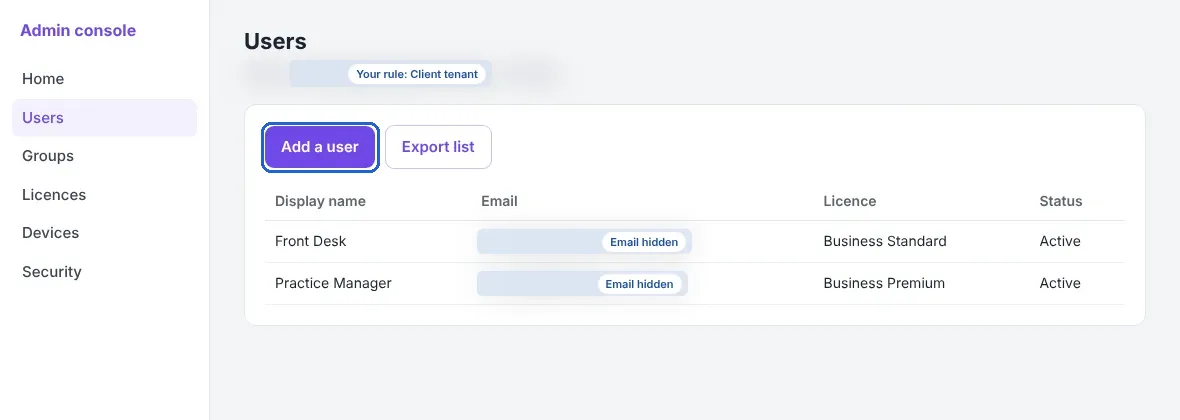
Click Add a user
Check the client name under Users first, so you are in the right client’s console.
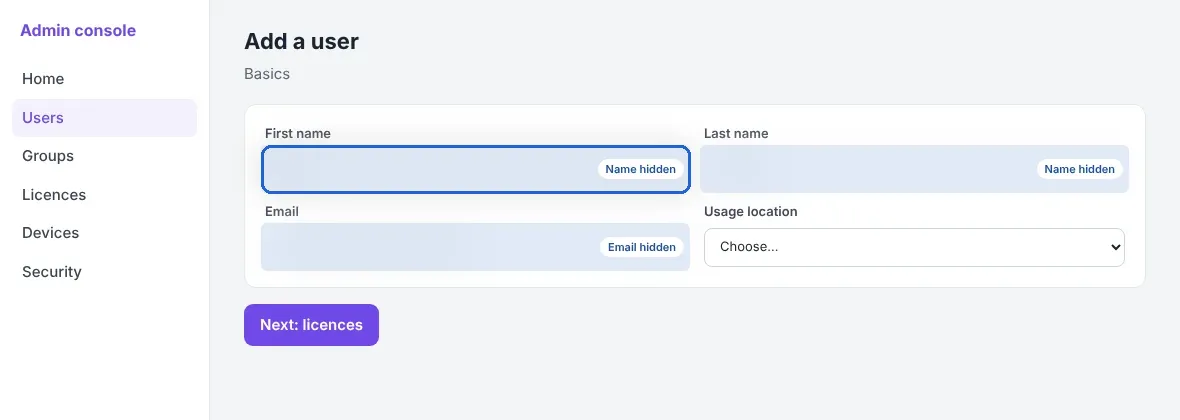
Enter the first and last name
Copy the name exactly from the client’s new-starter form.
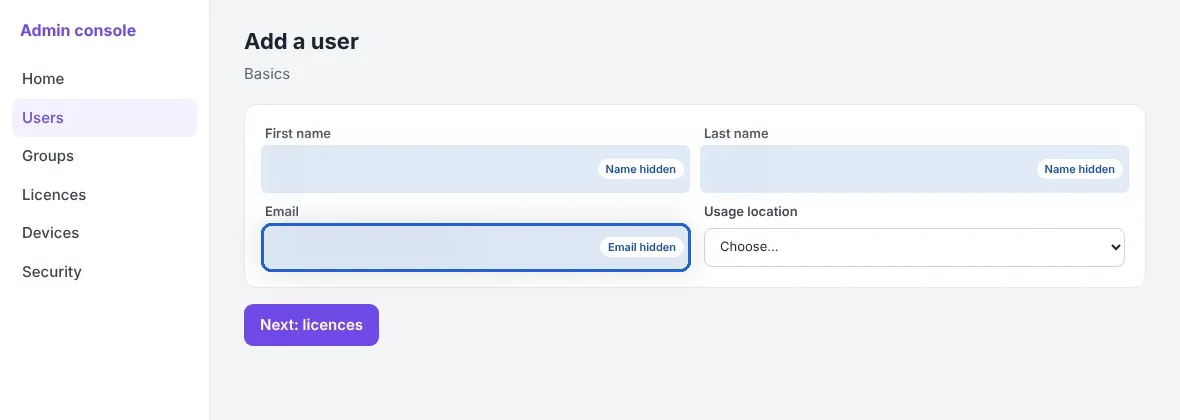
Enter the email address
Follow the client’s format, for example initial.surname@ their domain.
Choose United Kingdom in Usage location
A licence can’t be assigned until a usage location is set.
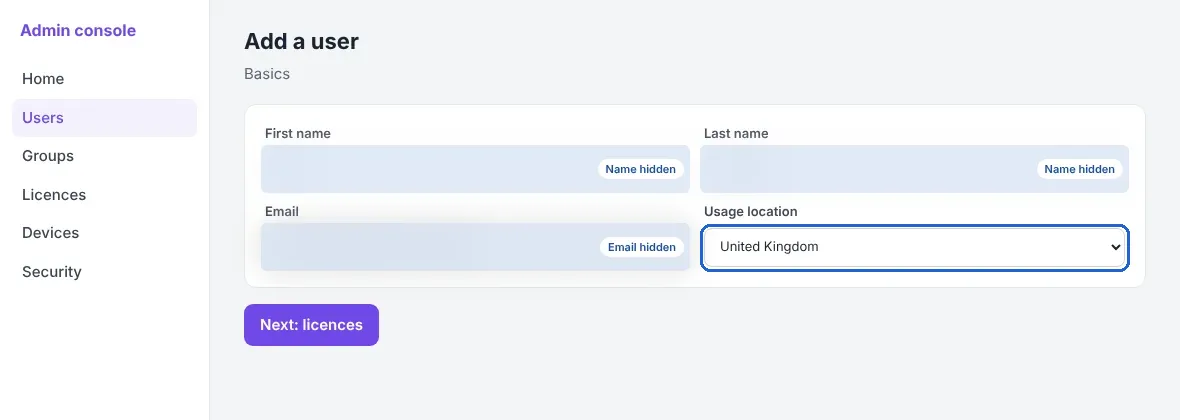
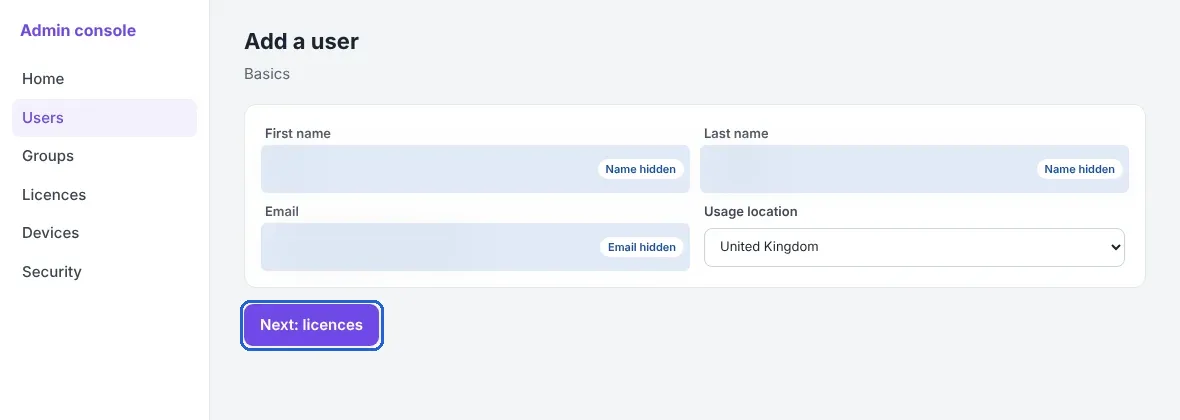
Click Next: licences
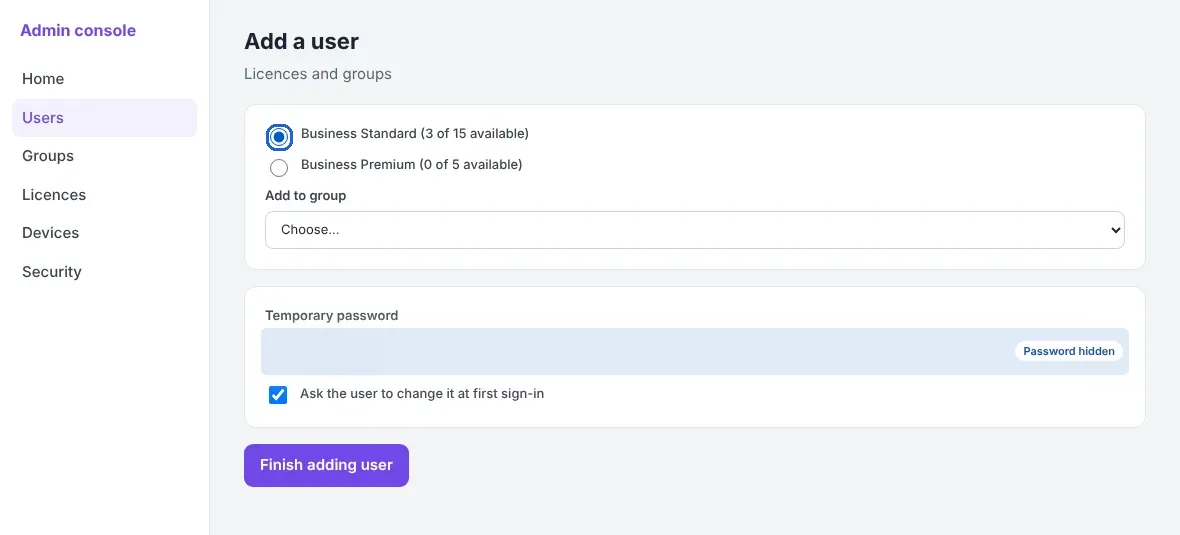
Click Business Standard (3 of 15 available)
If no licences are free, stop and ask the client to approve a new one before you go on.
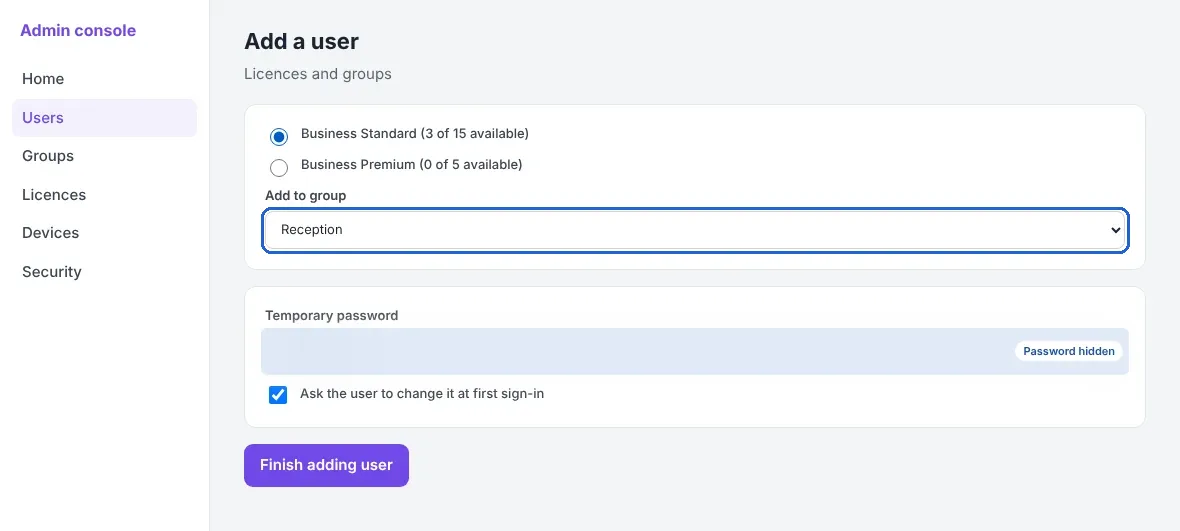
Choose Reception in Add to group
Set a temporary password
Leave Ask the user to change it at first sign-in ticked.
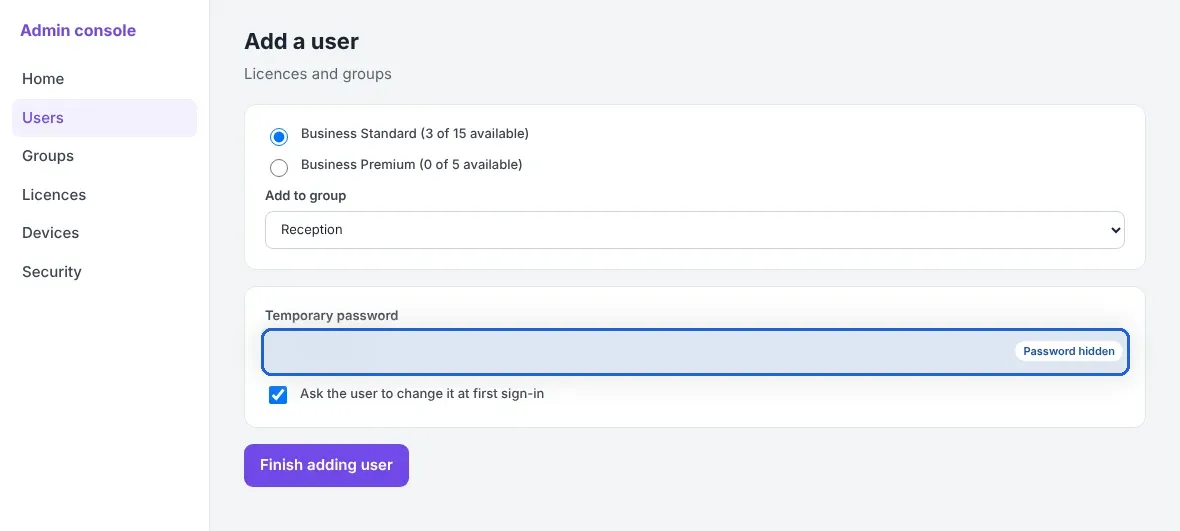
Click Finish adding user
Send the sign-in name and the password by different channels, for example the email to the practice manager and the password by text.
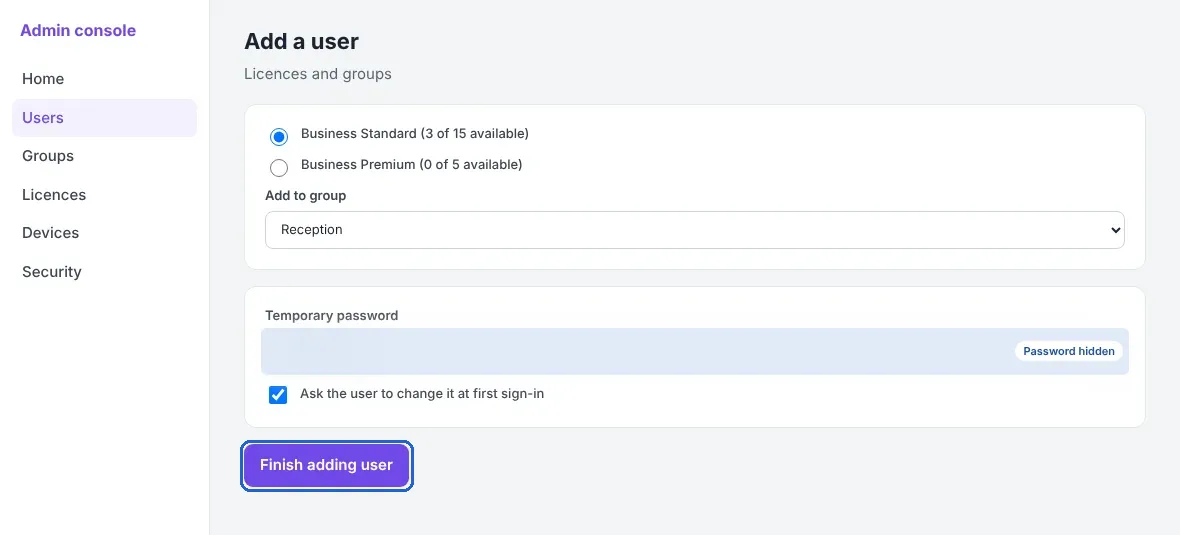
Blur client and tenant names
Passwords, emails, API keys and access tokens are hidden on their own. The client’s name in the console header isn’t, so this SOP used a Client tenant rule. Make one rule per client, or a pattern for your tenant naming, and share the rule file across the team with Team.
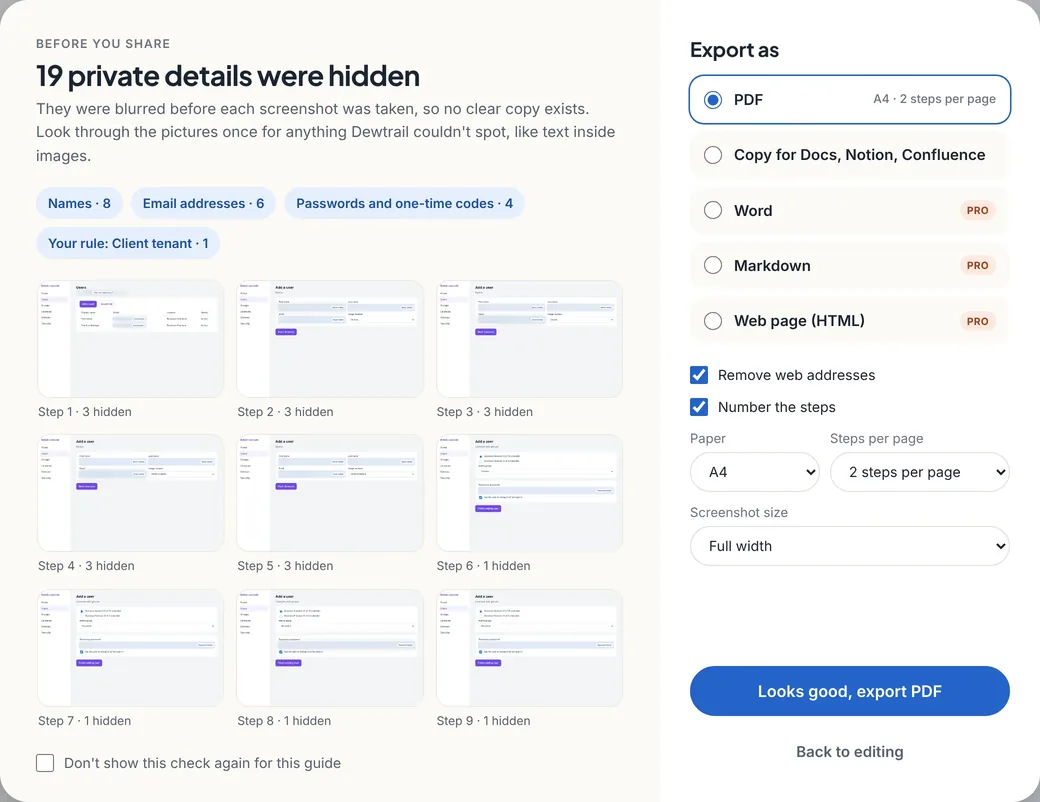
Before every export, the privacy check counts what was hidden, of which kind and in which step, so you can see the guide is safe to share.
Make your own SOP in a few minutes
A template only goes so far: your screens and your rules are different. Dewtrail is a steps recorder for Chrome, so the quickest SOP is the one you record while doing the task.
Record
Click the Dewtrail button or press Alt+Shift+R, then do the task once. Each click becomes a step with a written title and a screenshot. What you type is never stored.
Blur before capture
Private details are covered on the page before each screenshot, and each blur says what it hides. Nothing unblurred is ever saved.
Tidy and share
Reword titles, add tips, then export a PDF or copy the guide into Google Docs, Notion or Confluence. With Pro, keep it as a template and start new guides from it.
Coming soon to the Chrome Web StoreSee how Dewtrail worksWatch the 40-second video
More IT and MSP SOPs worth recording
- Offboard a leaver: block sign-in, convert the mailbox, remove licences
- Reset multi-factor authentication for a user
- Give a user access to a shared mailbox or calendar
- Add a device to management and check its compliance
- Create a distribution list or security group
- Grant a contractor guest access to one folder
- Check a client’s backup job and restore a single file
Questions
Will it blur API keys and secrets in consoles?
Common formats, yes: well-known key prefixes, access tokens and long random strings are covered, along with passwords and one-time codes. Blurring finds common formats, so check each guide before you share it, and add a rule for anything specific to a client.
Can each client get their own copy?
Yes. With Pro you can duplicate a guide or keep it as a template, retake the steps in another client’s console, and export it with your logo as PDF, Word, Markdown or a web page for your documentation tool.
Does Dewtrail replace Windows Steps Recorder?
For anything in the browser, yes. Microsoft is retiring Steps Recorder; Dewtrail records the same kind of click-by-click guide in Chrome, with screenshots blurred before capture. It can’t record desktop programs outside Chrome.
Free to record, $39 once for Pro
Free has unlimited guides, blur before capture, the privacy check and PDF export. Pro adds your own blur rules, your logo, Word and Markdown exports, annotations and templates. Team is $129 once for five people. No subscription. Compare plans